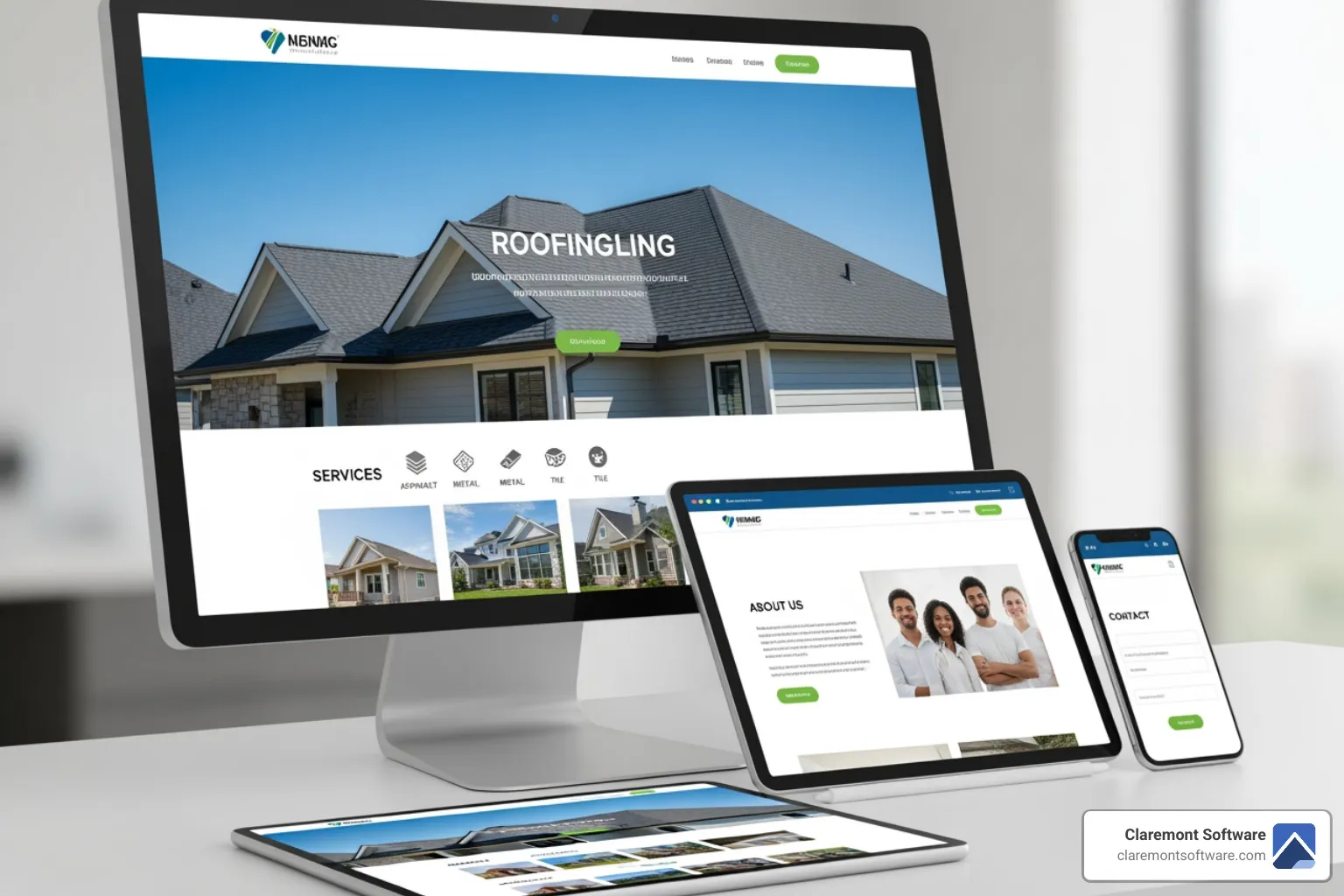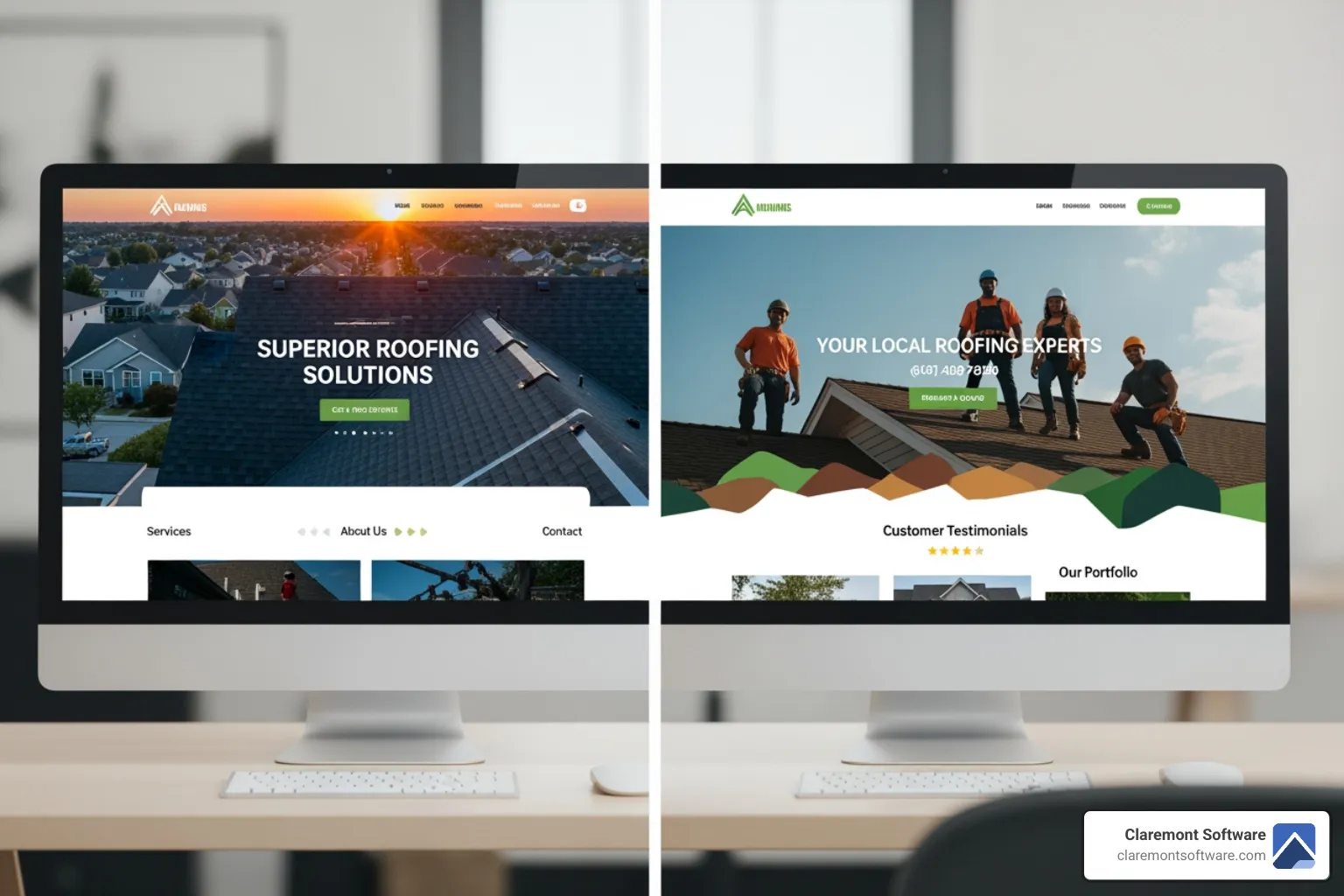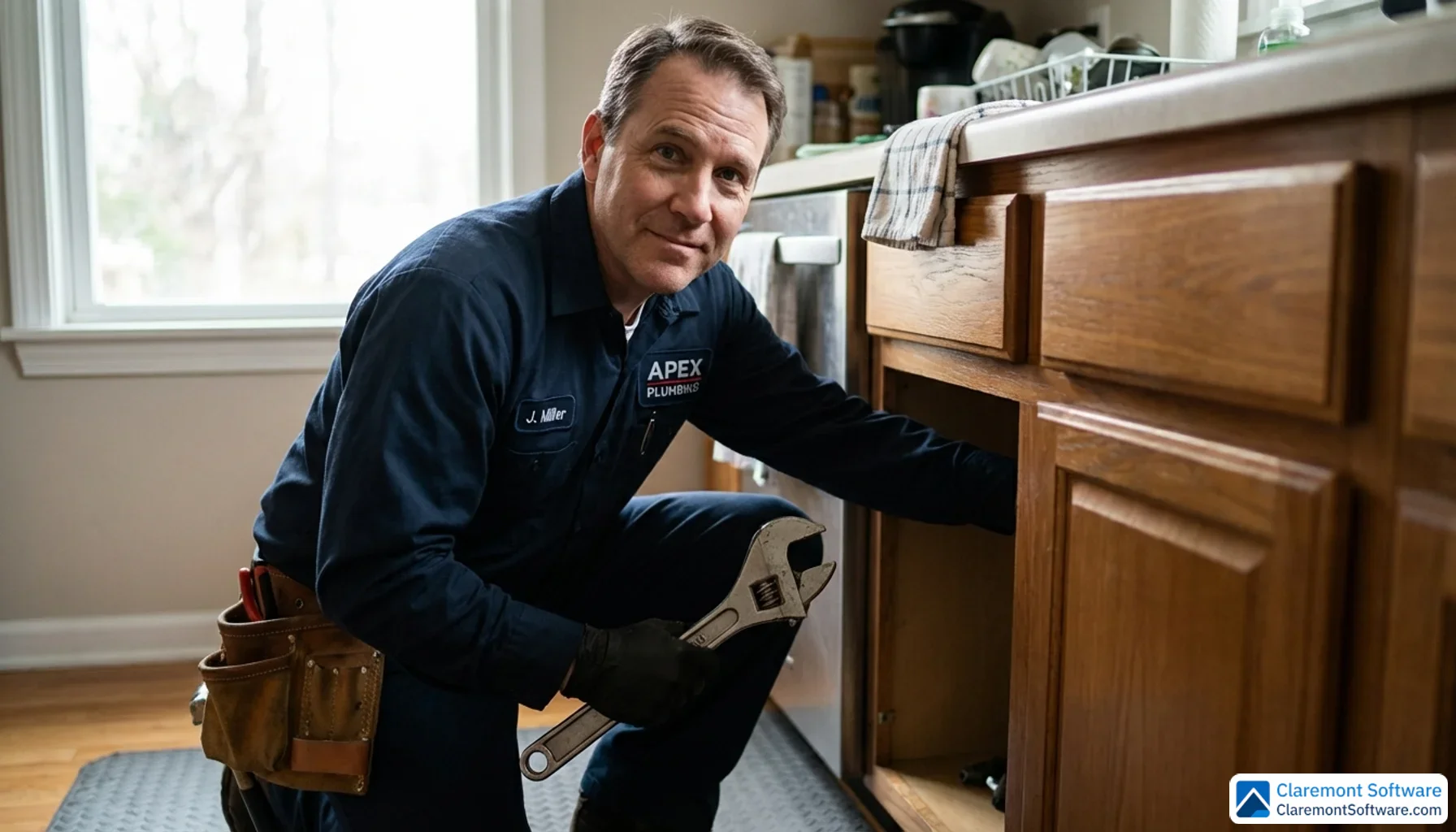
Your plumbing website isn't a digital brochure — it's your hardest-working employee, answering the phone at 2 a.m., qualifying leads while you're elbow-deep under a sink, and converting strangers into booked jobs before your competitors even pick up.
The problem? Most plumbing websites look decent but quietly fail at the one thing that actually matters: generating calls.
In 2026, the gap between a website that sits there and one that actively drives revenue comes down to three things — conversion-focused design, local SEO, and trust signals that do their job in under 10 seconds. Get those right, and your website becomes your best salesperson. Get them wrong, and you're handing leads to whoever ranks above you.
This guide breaks down 12 real-world plumbing website patterns that consistently generate calls — what makes them work, the specific conversion mechanisms behind each one, and exactly how to apply those strategies to your own site. We'll also cover essential features, SEO tactics, cost breakdowns, and the conversion benchmarks most guides never share.
Whether you're building from scratch or fixing what you already have, you'll leave with a clear, actionable roadmap.
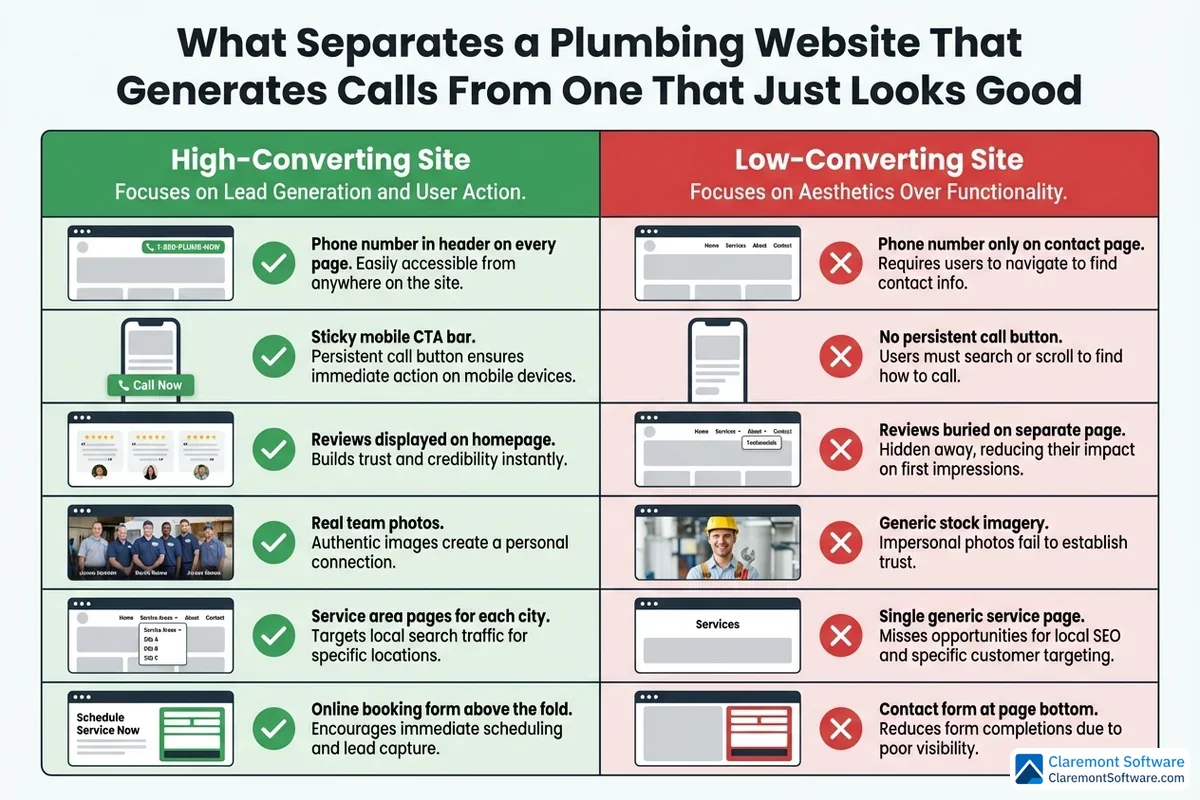
What Separates a Plumbing Website That Generates Calls From One That Just Looks Good
There's a version of your plumbing website that looks great in a portfolio screenshot and a completely different version that actually makes your phone ring. Most plumbing businesses have the first kind. The gap between the two isn't about aesthetics — it's about intent.
A visually polished website with the wrong structure will consistently lose to a simpler site that's been built around one goal: getting visitors to call. Design creates first impressions; strategy creates conversions. The placement of your phone number, the position of your reviews, the size of your call-to-action button — these decisions matter far more than your color palette or font choices.
The 10-Second Rule
Here's the uncomfortable truth: you have roughly ten seconds to convince a visitor to stay on your site before they hit the back button and call your competitor. In that window, your homepage needs to answer four questions without requiring a single scroll:
- Who are you? (Your business name and a clear, confident headline)
- What do you do? (Your core service — plumbing, drain cleaning, emergency repairs)
- Where do you serve? (Your city or service area, stated explicitly)
- How do I reach you? (A phone number that's impossible to miss)
If any of those answers are buried below the fold, hidden in a menu, or written in vague marketing language, you're losing leads in real time.
Friction Is the Enemy of Phone Calls
High-converting plumbing websites are obsessed with removing obstacles. Every extra click, every form field that isn't strictly necessary, every moment a visitor spends hunting for your contact information is a moment they're reconsidering whether to call you at all.
The best-performing sites use sticky headers with click-to-call buttons that follow visitors as they scroll, booking forms with no more than four fields, and a clear next step on every single page — not just the contact page. The goal is to make calling you the path of least resistance at every point in the browsing experience.
Why Most Plumbing Websites Fail
The most common conversion killers appear again and again across underperforming plumbing sites:
- Buried contact information — phone numbers tucked into footers or contact pages only
- Generic stock photography — images that signal inauthenticity to visitors who are about to let someone into their home
- No social proof above the fold — reviews and testimonials hidden on a separate page where most visitors never reach them
- Slow mobile load times — a critical failure given that the majority of emergency plumbing searches happen on smartphones
- Missing service area pages — making the business invisible in local search results for the neighborhoods it actually serves
How We Evaluated the 12 Patterns
The website patterns analyzed in this guide were assessed against five criteria: design quality (clarity, visual hierarchy, and professionalism), trust signals (reviews, licensing, guarantees, and team imagery), mobile experience (speed, usability, and tap-to-call functionality), local SEO structure (service area pages, schema markup, and keyword targeting), and call-generation features (CTA placement, booking tools, and friction reduction). Every pattern that made the list excels in at least three of these five areas — and the strongest examples nail all five.
12 Plumbing Website Patterns That Actually Convert Visitors Into Calls
After evaluating hundreds of plumbing sites against the five-point framework outlined above, seven distinct patterns emerged — each representing a proven conversion strategy that top-performing plumbing businesses are using right now to turn website visitors into booked jobs.
These patterns aren't theoretical. They've been observed across the full spectrum of the plumbing industry: national franchise operations with multi-million-dollar marketing budgets, independent local plumbers competing in tight regional markets, multi-location businesses serving entire metro areas, and standout examples from the US, UK, Australia, and the Middle East. The geographic spread matters — what converts in Sydney converts in Seattle, because the psychology of a homeowner with a burst pipe is universal.
Each pattern breakdown that follows covers three things: what immediately stands out about the approach, the specific conversion mechanism doing the heavy lifting, and a practical takeaway you can apply to your own site — this week, not after a full redesign.
That last point is worth emphasizing. These are replicable strategies, not one-off design experiments that only work with a six-figure development budget. Whether you're running a solo operation with a DIY website or managing a regional plumbing company ready to invest in professional development, every pattern in this list can be adapted to your situation. The underlying principles scale in both directions.
The Hero Section That Sells Before You Scroll
Your hero section is doing one of two things the moment a visitor lands on your page: it's selling them on calling you, or it's giving them a reason to leave. There is no neutral outcome. The plumbing websites that consistently generate the most calls treat this first viewport not as a design canvas but as a conversion machine — every element earns its place by moving a visitor closer to picking up the phone.
The highest-performing hero sections follow a tight, proven formula. A clear headline states the core service without ambiguity — not "Welcome to Our Website" or "Your Local Plumbing Experts," but something direct like "Emergency Plumber in [City] — We're There in 60 Minutes." A supporting subheadline names the specific service area, reinforcing local relevance for visitors who arrived via a "plumber near me" search. And a prominent click-to-call button — large, high-contrast, impossible to overlook — sits front and center before a single pixel of scrolling occurs.
Background imagery is where many plumbing sites quietly lose credibility. Stock photos of anonymous technicians in unbranded vans signal inauthenticity to visitors who are about to invite someone into their home. The sites that convert best use real photos of uniformed team members and branded vehicles — images that say "this is a real business with real people." That distinction registers in under a second, even if visitors couldn't articulate why one image felt more trustworthy than another.
Emergency messaging woven into the hero — "Available 24/7," "Same-Day Service Guaranteed," "We Answer Every Call" — captures the high-intent visitors who are already in crisis mode and need immediate reassurance before they'll commit to dialing.
Directly below the hero, the best sites add a trust badge strip that remains within the first viewport: licensing numbers, aggregate Google review ratings, years in business, and satisfaction guarantees. This strip does the work of a reference check in a single glance, answering the unspoken question every new visitor carries: can I actually trust these people?
The Sticky Mobile Bar That Never Lets Leads Escape
Picture this: a homeowner is standing in their kitchen at 9 PM, water pooling around their feet from a pipe that just let go under the sink. They grab their phone, search "emergency plumber near me," and land on your website. They're not going to scroll through your service history or read your about page. They need a phone number, and they need it now.
If that phone number isn't permanently fixed to the bottom of their screen, you've already lost them to whoever comes up next in the search results.
That's the problem the sticky mobile bar solves — and it solves it elegantly.
The best-performing plumbing websites deploy a persistent bottom navigation bar on mobile that stays locked in place as visitors scroll through the page. It doesn't disappear when someone reads your testimonials. It doesn't vanish when they check your service list. It sits there, constant and unmissable, carrying two buttons: tap-to-call and Book Now. Nothing else. That restraint is intentional — two clear actions eliminate the hesitation that comes from too many choices, keeping the path from "interested visitor" to "booked job" as short as possible.
The visual execution matters more than most plumbers realize. High-contrast color combinations — bright green or orange against a dark background — make the bar impossible to ignore without being aggressive. Some implementations take it a step further with a subtle pulsing animation or soft glow effect on the call button, drawing the eye without tipping into the kind of flashy design that feels cheap or desperate. It's the digital equivalent of a receptionist who makes eye contact without staring you down.
The stakes here are significant. The overwhelming majority of plumbing searches happen on smartphones, and a disproportionate share of those searches happen during genuine emergencies — exactly the moments when a visitor's patience is at its lowest and their intent to book is at its highest. A sticky mobile bar meets that visitor exactly where they are, removing every possible barrier between their urgency and your phone ringing.
The Trust-First Homepage That Leads With Social Proof
Think about what actually happens in the seconds before someone calls a plumber. They're not evaluating your drain cleaning technique or comparing your pipe specifications. They're asking one question, almost unconsciously: can I trust this person in my home?
That question is why the trust-first homepage pattern is so effective — and why it consistently outperforms sites that lead with a service menu.
Rather than opening with "Here's what we do," these sites open with "Here's what your neighbors say about us." A rotating testimonial banner sits at or near the top of the page, paired with an aggregate review score and total review count pulled from Google and Yelp. Visitors see a 4.9-star rating from 340 verified reviews before they've read a single word of marketing copy. That number does more persuasive work than any headline you could write.
Video testimonials take this a step further. A 45-second clip of a real homeowner describing how your team showed up on time, fixed the problem cleanly, and left the bathroom spotless carries a weight that written reviews simply can't match. Authenticity is visible — the slight hesitation before someone finds the right word, the genuine relief in their voice — and it registers with visitors in a way that polished copy never will.
Alongside the social proof, these homepages display certification badges, BBB ratings, manufacturer partnerships, and background-check seals prominently near the top of the page. These aren't buried in a footer or tucked onto an about page. They're front and center, answering the trust question before it's even fully formed in the visitor's mind.
This pattern works especially well for plumbing precisely because of the nature of the service. You're not selling a product someone can return. You're asking a stranger to let you into their home, often during a stressful moment. Trust isn't a nice-to-have — it's the entire conversion mechanism. Lead with proof that others have trusted you, and the decision to call becomes significantly easier.
The Service Area Hub That Dominates Local Search
If the trust-first homepage answers "can I trust you?", the service area hub answers an equally critical question: "do you actually serve my neighborhood?"
It sounds simple. But for a homeowner in a specific suburb searching "plumber in [their area]," a generic website that vaguely mentions serving "the greater metro area" creates doubt — and doubt creates bounces. The service area hub eliminates that doubt entirely.
The strategy is straightforward but requires genuine commitment to execute well. Top-ranking plumbing sites build dedicated landing pages for every city, neighborhood, and zip code they serve — not copy-pasted templates with the location name swapped out, but pages with unique content that references local landmarks, area-specific testimonials from recognizable street names, and headlines like "Trusted Plumber in [Neighborhood] Since [Year]." That specificity signals to both visitors and Google that this isn't a business casting a wide net — it's a plumber who genuinely knows and serves that community.
Each of these pages earns its place in search results by including the elements that local searchers and search engines both reward: embedded Google Maps showing the service area, localized keywords woven naturally into the content, and area-specific calls to action that feel relevant rather than generic. Some pages go further, referencing common plumbing issues in that area — older pipe materials in historic neighborhoods, hard water problems in specific regions — turning a location page into genuinely useful content.
On the homepage itself, a postcode or zip code search tool lets visitors confirm service coverage in seconds. Rather than hunting through a list of suburbs or guessing whether their address qualifies, they type their zip code and get an immediate answer. That instant confirmation removes a friction point that quietly kills conversions — and keeps high-intent visitors moving toward the booking step instead of bouncing to a competitor.
The SEO payoff compounds over time. Each service area page targets a distinct set of local keywords, building visibility across dozens of "plumber near me" and "plumber in [city]" searches simultaneously — directly supporting Google Business Profile rankings and local pack placement across your entire service footprint.
The Emergency-First Layout That Captures Urgent Calls
When a pipe bursts at 11pm on a Sunday, the homeowner reaching for their phone isn't browsing — they're panicking. They need a number, they need it now, and they'll call the first site that makes them feel like help is genuinely on the way. The emergency-first layout is built entirely around that moment.
These sites make their priority unmistakable from the first pixel. Bold red or orange color accents dominate the design, oversized phone numbers sit front and center, and the headline doesn't waste a syllable: "Burst Pipe? Call Now." There's no service menu to scroll through, no company history to read, no secondary options competing for attention. The entire above-the-fold area exists to deliver one message — we're available, we're fast, call this number — with a single CTA that's impossible to miss.
That ruthless focus on one action is what makes this pattern convert. Decision paralysis kills emergency leads. When someone is standing in an inch of water, every extra choice on the screen is friction they don't have patience for.
Below the fold, a simple three-step process — Call → We Arrive → Problem Solved — does something equally important: it reduces anxiety. Emergency plumbing situations are stressful and unfamiliar. A clear, visual sequence that sets expectations ("we'll be there within the hour, here's what happens next") transforms a panicked visitor into a caller who feels like the situation is already under control.
For visitors who prefer not to call — whether it's late, they're in a shared space, or they simply want to type rather than talk — live chat with real human operators provides a critical alternative. Not a chatbot cycling through scripted responses, but an actual person who can confirm availability, collect the address, and dispatch a technician. That distinction matters enormously for after-hours conversion, capturing leads that would otherwise disappear into a competitor's phone line.
The Before-and-After Portfolio That Proves Expertise
Most plumbing work is invisible once it's done — pipes hidden behind walls, drains running silently underground, water heaters tucked away in utility closets. That invisibility creates a real challenge when you're trying to convince a homeowner to spend $4,000 on repiping or $8,000 on a sewer line replacement. They can't see the problem clearly, and they can't see the quality of your work. A before-and-after portfolio solves both problems at once.
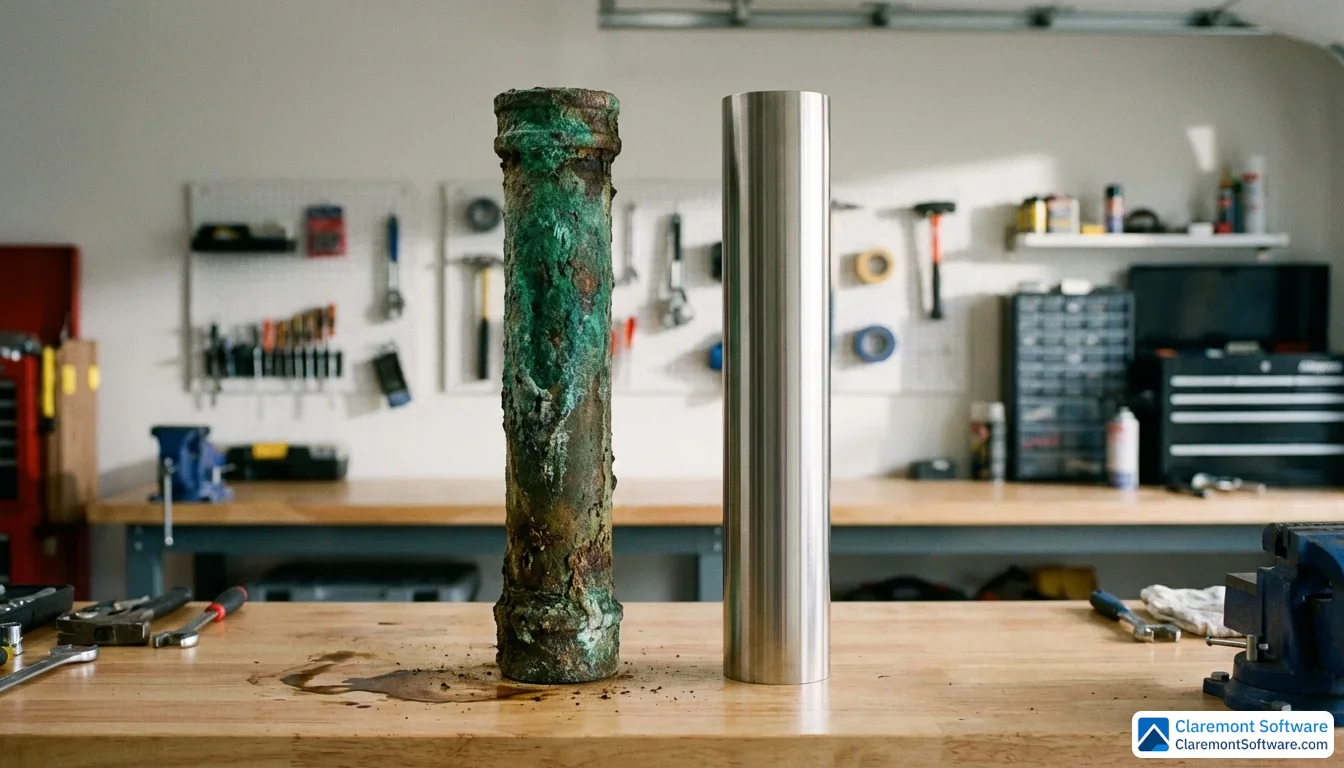
Image galleries showing completed jobs are among the most persuasive content a plumbing website can carry — not because they're visually impressive, but because they're verifiable. A corroded pipe replaced with clean copper, a chaotic water heater installation transformed into a neat, code-compliant setup, a flooded crawl space restored to dry, organized infrastructure. These images communicate competence in a way that no headline or bullet point can replicate.
The best implementations go further than a simple photo gallery. Each project becomes a mini case study: the problem the customer reported, the diagnosis the technician made, the solution applied, and the time to completion. That structure does double duty — it demonstrates technical expertise to the homeowner evaluating your skills, and it builds the kind of Experience, Expertise, Authoritativeness, and Trustworthiness signals that Google rewards in local search rankings.
Video walkthroughs take this a step further for complex, higher-ticket jobs. A three-minute video of a technician explaining a sewer line replacement — walking through the camera footage, the excavation, the new pipe installation, and the final inspection — does more to justify a four-figure quote than any written estimate. Customers who watch that video arrive at the booking conversation already sold on your expertise.
This pattern is most powerful precisely where the sales cycle is longest. For routine drain cleaning, customers decide quickly. For whole-home repiping or bathroom plumbing renovations, they research, compare, and hesitate. A portfolio that shows the work in detail gives them the evidence they need to stop hesitating and call.
The Online Booking Engine That Captures Leads 24/7
A burst pipe doesn't wait for business hours. Neither should your ability to capture the lead. While emergency-first layouts handle the panicked midnight caller, the online booking engine serves an equally valuable visitor: the homeowner who discovers a slow drain on a Tuesday evening, wants to schedule a plumber for Saturday morning, and simply doesn't want to wait on hold or call back tomorrow. Without a booking tool, that lead evaporates.
Integrated scheduling tools turn your website into a 24/7 booking agent — one that never misses a call, never puts anyone on hold, and never clocks out. Every appointment booked at 10pm is a job that would have gone to a competitor whose phone went to voicemail. For plumbing businesses, where a significant portion of research and decision-making happens outside of working hours, that round-the-clock availability isn't a luxury — it's a competitive advantage.
The best booking forms are ruthlessly simple. Ask only what you need: service type, address, preferred date and time, and contact information. The whole process should take under 60 seconds. Every additional field — "How did you hear about us?" or "Describe your issue in detail" — introduces friction that costs you completions. Save the detailed intake for the confirmation call.
What happens after the booking matters just as much. Automated confirmation emails that include the technician's photo, an estimated arrival window, and simple preparation tips (like clearing access to the water meter) do two things simultaneously: they reduce no-shows by making the appointment feel real and personal, and they build trust before the van even pulls up.
Some top-performing sites sweeten the deal further by offering a small discount for online bookings — a fixed dollar amount off the service call. Beyond the obvious appeal to customers, this creates a trackable conversion event that makes it far easier to measure your website's ROI compared to phone calls alone.
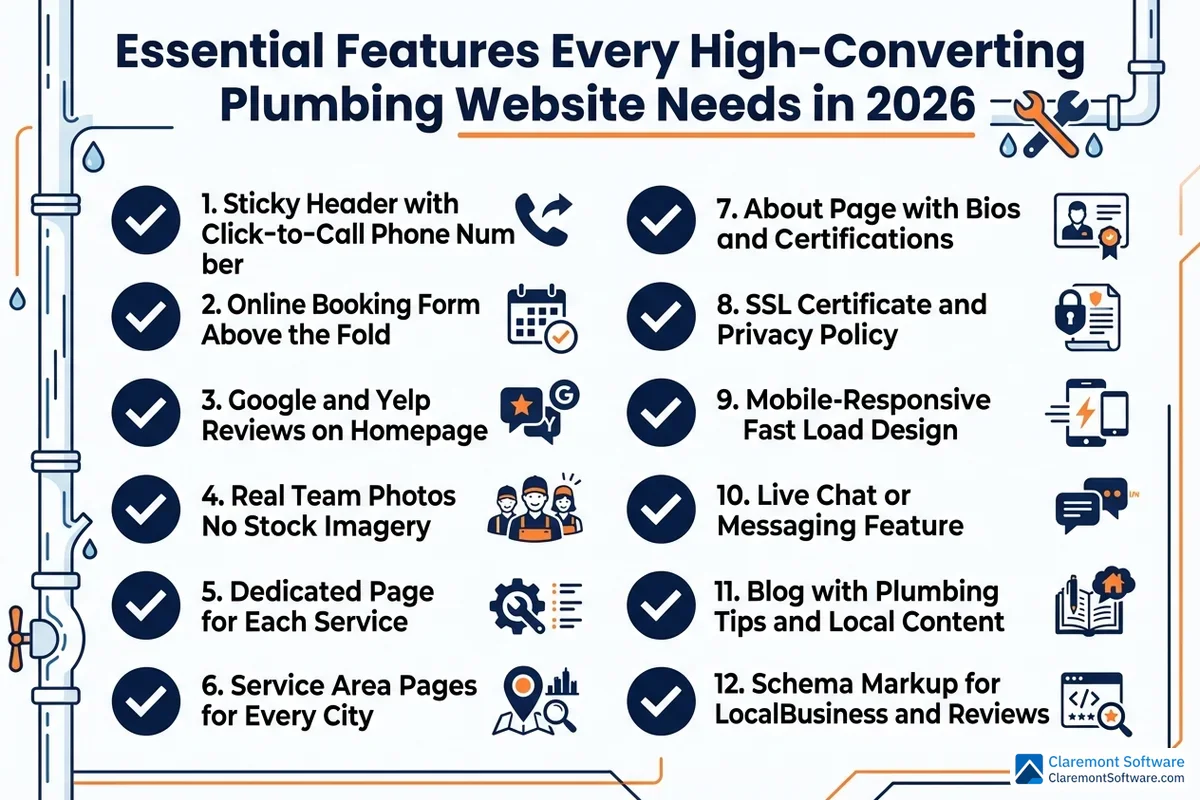
Essential Features Every High-Converting Plumbing Website Needs in 2026
The patterns and strategies covered so far only generate calls if the underlying website is built on a solid foundation. Think of these features as the infrastructure that makes every conversion tactic possible — without them, even the most compelling hero section or before-and-after portfolio will underperform.
Click-to-call phone numbers belong on every single page — not just the contact page. Your phone number should appear in the header, the footer, and ideally within the body content of key service pages. On mobile, every instance should be a live tap-to-call link. This sounds obvious, but a surprising number of plumbing websites bury their number on a dedicated contact page, forcing visitors to navigate away from the page where they made their decision to call. That extra step costs you leads. Make the number impossible to miss and effortless to use, regardless of which page a visitor lands on.
Online booking and quote request forms should be positioned above the fold on your highest-traffic landing pages — not tucked away at the bottom after three scrolls. Keep the fields minimal: service type, location, preferred time, and contact details. The goal is a form that a stressed homeowner can complete in under a minute, ideally with one thumb while standing in a flooded bathroom.
Customer reviews need to be everywhere, not quarantined to a testimonials page. Pull your Google and Yelp ratings onto the homepage, embed them on individual service pages, and run them as rotating banners throughout the site. Aggregate star ratings with review counts — "4.9 stars across 340 Google reviews" — carry far more weight than a handful of cherry-picked quotes.
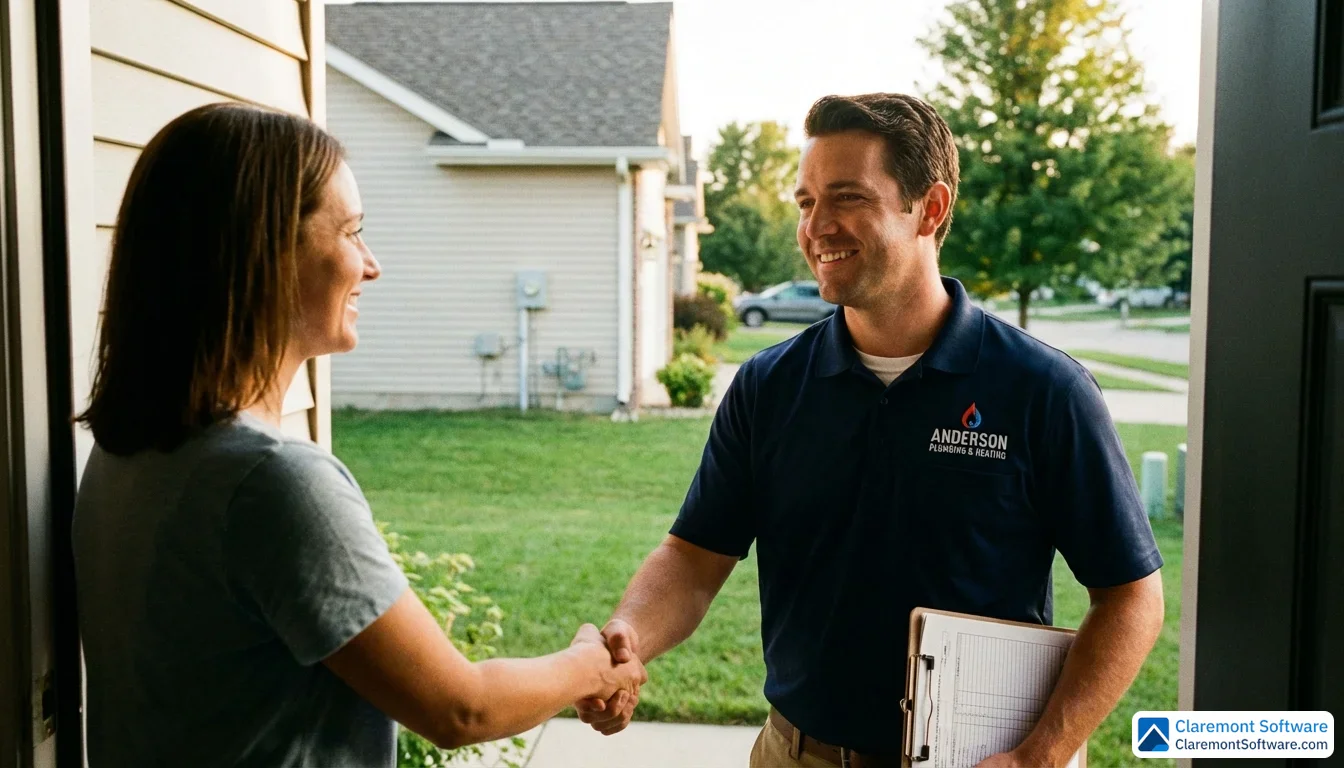
Real photography is non-negotiable. Photos of your actual technicians in uniform, your branded vehicles, and completed job sites build the kind of immediate credibility that stock images simply cannot replicate. Plumbing is a service that involves inviting a stranger into your home — authentic visuals provide the early reassurance that makes that decision feel safe.
Dedicated service pages for each offering — drain cleaning, water heater installation, sewer line replacement, emergency plumbing, and so on — serve double duty. They give visitors the specific information they're looking for, and they give search engines the topical depth needed to rank for service-specific queries. Each page should include unique content, transparent pricing guidance where possible, and localized keywords.
Your About page is a trust asset, not an afterthought. Team bios with real photos, licensing and certification numbers, years in business, and any community involvement all contribute to the credibility that converts a cautious visitor into a confident caller.
Finally, SSL encryption, a visible privacy policy, and clearly displayed licensing numbers are baseline requirements in 2026 — not optional extras. Visitors notice the padlock in the browser bar, and Google factors security into rankings. Displaying your license number prominently also signals regulatory compliance, which matters enormously to homeowners who've been burned by unlicensed contractors before.
Plumbing Website SEO: How to Rank and Get Found Locally
A beautifully designed plumbing website that nobody can find is just an expensive digital art project. Getting found — specifically by homeowners in your service area who are actively searching for a plumber right now — requires a deliberate local SEO strategy built into the architecture of your site from the ground up.
Start with your Google Business Profile, because it's the front door to local search. Your GBP listing is what populates the local map pack — those three businesses that appear above organic results when someone searches "plumber near me." Optimizing it means completing every field, selecting accurate service categories, uploading real photos of your team and vehicles, and actively collecting reviews. Critically, your website and GBP must be perfectly synchronized: the business name, address, and phone number must be identical across both, and that same NAP information must match every directory listing you appear in — Yelp, Angi, the BBB, and dozens of local citation sites. Even minor inconsistencies (abbreviating "Street" to "St." in one place) can dilute your local authority and suppress your rankings.
Service area pages are your most powerful local SEO asset. Rather than a single generic "Areas We Serve" list, create a dedicated landing page for every city, neighborhood, and suburb you work in. Each page should contain unique content — not a copy-paste template with the location name swapped out — including local landmarks, area-specific testimonials, an embedded Google Map, and headlines that speak directly to that community ("Trusted Plumber in [Neighborhood] Since [Year]"). These pages signal to Google that you have genuine relevance in each location, directly supporting your visibility in local pack results for neighborhood-specific searches.
Schema markup is the technical layer that makes your listings stand out. Implementing LocalBusiness schema tells search engines exactly who you are, where you operate, and what you offer. Add Service schema to individual service pages, Review schema to pull star ratings into search results, and FAQ schema to claim additional real estate on the results page. These rich snippets increase click-through rates without requiring any improvement in your actual ranking position.
A consistent blogging strategy builds topical authority over time. Targeting long-tail queries — "how to fix a running toilet," "signs your water heater needs replacing," "what causes low water pressure" — captures informational traffic from homeowners in the early stages of a problem. That traffic builds brand familiarity, earns backlinks, and signals to Google that your site is a credible resource on plumbing topics, which lifts your rankings across the board.
Page speed is a ranking factor you can't afford to ignore. Aim for a Largest Contentful Paint under 2.5 seconds, a Cumulative Layout Shift score below 0.1, and an Interaction to Next Paint under 200 milliseconds. Compress images, minimize plugins, and invest in quality hosting — slow sites lose both rankings and the impatient visitors who won't wait.
Finally, optimize for voice search, which continues to grow in 2026. Conversational queries like "emergency plumber open now near me" require naturally phrased content and FAQ-style pages that mirror how people actually speak. Structure your content to answer these questions directly, and you'll capture a segment of high-intent traffic that text-based SEO alone misses.
DIY Website Builders vs. Hiring a Professional: What's Right for Your Plumbing Business
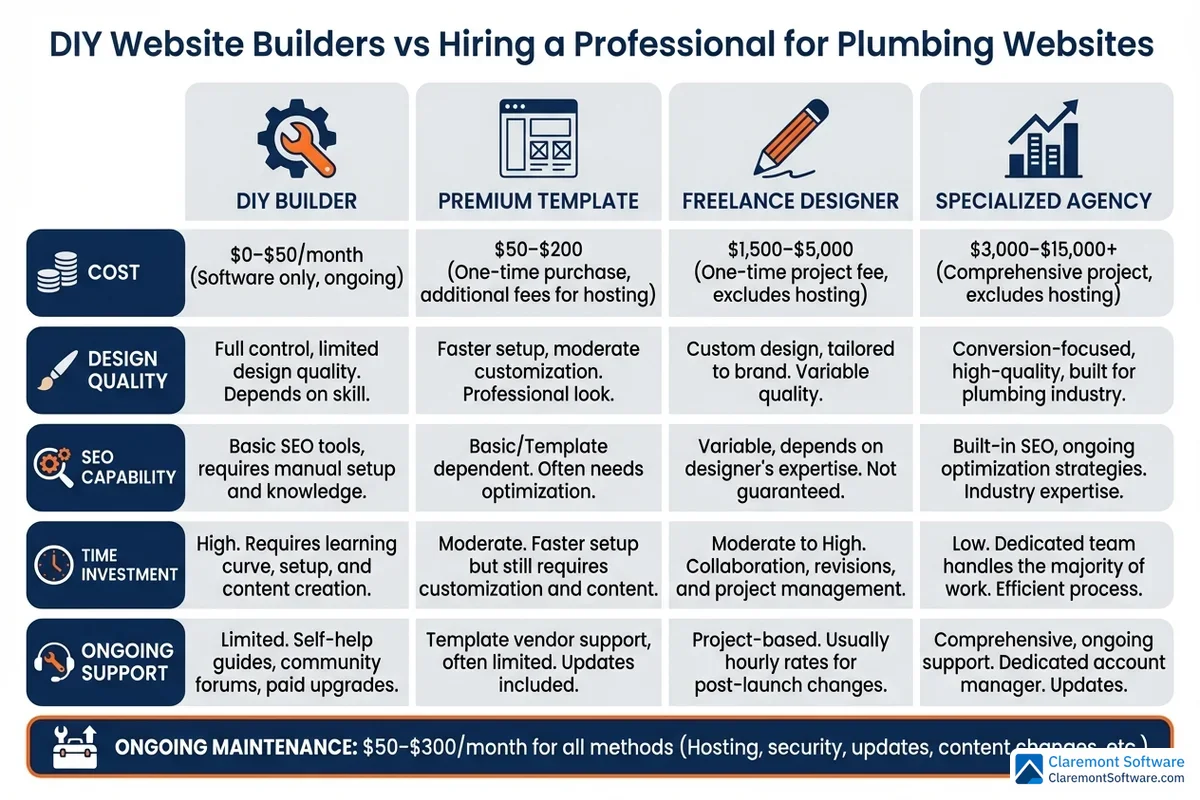
Choosing how to build your plumbing website comes down to three variables: your budget, your market's competitiveness, and how much of your growth you're willing to leave to chance. There's no universally right answer — but there is a right answer for your specific situation.
DIY platforms have become genuinely capable, and for a plumber just establishing an online presence, they're a reasonable starting point. Here's how the main options stack up:
- WordPress remains the most powerful DIY option, with unmatched SEO flexibility, thousands of plumbing-specific themes, and plugins for booking, reviews, and call tracking. The trade-off is a steeper learning curve and more ongoing maintenance.
- Wix and Squarespace offer drag-and-drop simplicity and polished templates, making them accessible for non-technical owners. SEO capabilities have improved significantly, though they still lag behind WordPress for serious local search campaigns.
- Webflow and Framer sit at the premium end of the DIY spectrum — exceptional design control and clean code, but they require more technical comfort and aren't ideal for plumbers who want to manage content independently.
Template marketplaces like ThemeForest offer hundreds of plumbing-specific designs at low one-time costs. The risk is differentiation: when dozens of competitors in your market are running variations of the same template, your site stops being a competitive advantage and becomes visual wallpaper.
Hiring a professional makes sense when the stakes are higher. If you're operating in a competitive metro market, running multiple locations, or ready to treat your website as a genuine growth investment rather than a checkbox, a specialist agency will consistently outperform a DIY build. The difference isn't just aesthetics — it's conversion architecture, local SEO structure, and the strategic decisions that determine whether your site generates five calls a week or fifty.
Claremont Software specializes in exactly this: building high-converting websites for service businesses that combine conversion-focused design with local SEO strategy from the ground up — not bolted on afterward.
Realistic cost ranges for 2026:
- DIY platform (ongoing): $0–$50/month
- Premium template (one-time): $50–$200
- Freelance designer: $1,500–$5,000
- Specialized agency: $3,000–$15,000+
- Ongoing maintenance and optimization: $50–$300/month
Before hiring anyone, ask these questions: Do they have demonstrable experience with local SEO, not just web design? Can they show results from service business clients specifically? And critically — do they offer ongoing optimization, or do they hand you a finished site and disappear? A one-time build with no performance monitoring is a depreciating asset. A site with continuous conversion testing and SEO refinement compounds in value over time.
Conversion Tracking: How to Know If Your Plumbing Website Is Actually Working
A beautiful, fast, well-optimized plumbing website means nothing if you can't prove it's generating calls. Conversion tracking closes the loop between your investment and your results — and without it, you're making decisions based on gut feeling instead of data.
Start with click-to-call tracking, because phone calls are your primary conversion. Every tap on your phone number should be recorded as a measurable event. In Google Analytics 4, this means setting up a click event trigger on your phone number links and marking it as a key conversion. Pair this with a dedicated call tracking number for your website — a separate number that forwards to your main line but logs every call, its source, duration, and the page the visitor was on when they called. This tells you not just that your site generated a call, but which page, which traffic source, and which keyword drove it.
The KPIs that actually matter for a plumbing website:
- Bounce rate: Target under 50%. A higher rate suggests your landing pages aren't matching visitor intent.
- Average session duration: Target over two minutes. Engaged visitors who read your service pages and check your reviews are far more likely to call.
- Pages per session: More pages visited signals genuine interest and trust-building behavior.
- Conversion rate: For service businesses, 3–5% is a healthy benchmark. Below 2% warrants immediate investigation.
In Google Analytics 4, configure these as conversion events: form submissions, phone number clicks, booking completions, and live chat initiations. Each represents a visitor taking a meaningful step toward becoming a customer, and tracking them separately reveals which contact methods your audience prefers.
Dynamic number insertion takes call tracking further by automatically displaying a unique phone number based on how a visitor arrived — organic search, paid ads, or a specific campaign — without changing the number on your Google Business Profile or directories.
A/B testing is how you compound improvements over time. Test one variable at a time: your hero headline, CTA button color, form placement, or background image. Even small lifts in conversion rate — moving from 2.5% to 3.5% — translate directly into more booked jobs without spending an extra dollar on traffic.
Review your data monthly. If call volume drops, check whether a page speed regression or ranking loss is the culprit. If bounce rate spikes, audit your mobile experience. If conversion rate stagnates despite healthy traffic, it's time to revisit your trust signals and CTA placement — not necessarily a full redesign, but targeted, evidence-based improvements.
Common Plumbing Website Mistakes That Kill Your Call Volume
Even a technically sound plumbing website can hemorrhage leads if it's making any of these common mistakes. The good news: every one of them is fixable, often without a full redesign.
Generic stock photos are the single biggest trust-killer on plumbing websites. Visitors can spot a stock photo in under a second — the too-perfect lighting, the anonymous technician, the suspiciously clean pipe wrench. When someone is deciding whether to let a stranger into their home to fix a burst pipe, a smiling model in a hard hat does nothing to build confidence. Real photos of your actual team, your branded vans, and your completed job sites communicate authenticity in a way no stock library can replicate. If you only fix one thing on your site, make it this.
Burying your phone number is quietly costing you calls every day. Your number should be visible, clickable, and prominent on every single page — in the header, in the footer, and ideally mid-page on longer service pages. Forcing a visitor to navigate to a contact page to find your number introduces friction at exactly the moment they're ready to act. On mobile, every instance of your phone number should be a tap-to-call link, not plain text.
Neglecting mobile optimization is no longer a minor oversight — it's a critical failure. The majority of emergency plumbing searches happen on smartphones, often by someone standing in a flooded bathroom. If your site loads slowly, displays text that requires pinching to read, or has buttons too small to tap accurately, those visitors are gone within seconds. Mobile performance isn't a nice-to-have feature; it's the primary experience for most of your highest-intent visitors.
Missing service area pages makes you invisible where it matters most. Without dedicated location pages for each city and neighborhood you serve, search engines have no signal to rank you for those areas. A single generic "Service Areas" list doesn't cut it — each location needs its own page with unique content, local context, and relevant keywords.
Hiding social proof below the fold is a conversion killer. Reviews and testimonials buried on a separate page might as well not exist. Your star rating, review count, and at least one compelling testimonial should appear in the first viewport — before a visitor has to scroll — because trust must be established before curiosity can convert into a call.
Slow load times silently drain your call volume. Unoptimized images, bloated plugins, and budget hosting all contribute to page speeds that frustrate visitors and suppress your search rankings simultaneously. Every additional second of load time increases the probability that a potential customer bounces to a faster competitor.
Ignoring accessibility compliance is both a legal risk and a missed opportunity. Websites that don't meet ADA and WCAG standards exclude visitors who rely on screen readers, keyboard navigation, or other assistive technologies — and expose your business to legal liability that's entirely avoidable with proper implementation.
Your Next Steps: Building a Plumbing Website That Pays for Itself
Reading this guide without taking action is the most expensive thing you can do. Every week your current site underperforms is another week of calls going to a competitor whose website simply does a better job of converting visitors. Here's how to move from insight to results, starting today.
Begin with an honest audit of what you already have. Work through the essential features covered in this guide and score your current site against each one: Is your phone number visible and clickable on every page? Do you have real team photos above the fold? Are Google reviews displayed on your homepage? Do you have dedicated service area pages for each neighborhood you serve? Identify your three highest-impact gaps — the fixes most likely to generate calls within 30 days — and tackle those first before touching anything else.
If your site is live but underperforming, prioritize these four fundamentals above everything else:
- A sticky header with a click-to-call phone number visible on every page
- Real photos of your team, vehicles, and completed jobs replacing any stock imagery
- Your Google review rating and at least one testimonial displayed in the first viewport
- At least three dedicated service area pages targeting the neighborhoods you most want to dominate
These changes alone can meaningfully shift your call volume without requiring a full rebuild.
If you're starting from scratch, choose your build path based on your reality — your budget, your timeline, and how competitive your local market is. A DIY builder works for a sole trader in a low-competition area. A specialist agency makes sense when you're competing against established players and need every advantage working in your favor from day one.
Set up conversion tracking before you launch or relaunch anything. You cannot improve what you cannot measure, and without call tracking in place, you'll never know whether your investment is paying off.
If you want to compress the timeline and avoid costly trial and error, partnering with a specialist like Claremont Software — who understands both the conversion mechanics and the local SEO demands specific to plumbing businesses — means your site is built to generate calls from the moment it goes live, not months later after painful iteration.
Conclusion
The best plumbing websites in 2026 share one defining characteristic: they're engineered to generate calls, not admiration. Every pattern analyzed in this guide — from emergency-first layouts to service area hubs to trust-first homepages — proves that conversion comes from strategy, not aesthetics. And every strategy here is replicable, regardless of your budget or technical ability.
The path forward is straightforward. Audit your current site against the essential features checklist. Fix the highest-impact gaps first — real team photos, a visible click-to-call number on every page, reviews above the fold, dedicated service area pages. Set up conversion tracking so every improvement is measurable. Then keep optimizing, because a high-converting website isn't a finished product — it's a compounding asset.
Your website should be your hardest-working salesperson, booking jobs while you're on a call, under a sink, or asleep. If it isn't doing that right now, the problem isn't your plumbing business — it's the site. Fix the site.
Whether you build it yourself or partner with a specialist like Claremont Software, the goal is the same: a plumbing website that pays for itself in booked jobs, every single week.
Related Reading
- Why Most Plumber Websites Don't Generate Calls
- How Much Does a Plumber Website Cost in 2026?
- Plumbing Website Templates vs Custom Design
Frequently Asked Questions
How much does a plumbing website cost to build in 2026?
Plumbing website costs vary widely depending on your approach. DIY website builders (Wix, Squarespace, etc.) run $0–$50/month. Premium plumbing-specific templates are a one-time cost of $50–$200. Hiring a freelance designer typically costs $1,500–$5,000, while a specialized agency ranges from $3,000–$15,000+. Don't forget ongoing maintenance, which averages $50–$300/month for hosting, updates, and SEO. The right investment depends on your market competitiveness — in a crowded local market, a professionally built, conversion-focused site will pay for itself quickly in booked jobs.
What features should every plumber website have to generate calls?
Every high-converting plumbing website needs: a click-to-call phone number in the header and footer of every page; a sticky mobile bar with tap-to-call and 'Book Now' buttons; customer reviews and star ratings displayed above the fold on the homepage; real photos of your team, vehicles, and completed jobs (not stock photos); dedicated service pages for each offering; service area pages for every city and neighborhood you cover; an online booking or quote request form with minimal fields; and SSL security with clearly displayed licensing numbers. These features work together to build trust and reduce friction so visitors convert into calls.
Should I use a website builder like Wix or WordPress for my plumbing business, or hire a professional?
It depends on your budget, market, and goals. DIY builders like Wix or Squarespace are fine for plumbers just starting out or in low-competition markets — they're affordable and require no coding. WordPress offers more flexibility and stronger SEO capabilities but has a steeper learning curve. However, if you're in a competitive local market or running a multi-location operation, hiring a professional web designer or agency is worth the investment. A specialist who understands both plumbing industry needs and local SEO — like Claremont Software — will build a site engineered to generate calls, not just look good.
How do I optimize my plumbing website for local SEO and 'plumber near me' searches?
Start by fully optimizing your Google Business Profile and ensuring your Name, Address, and Phone number (NAP) are consistent across every online directory. On your website, create dedicated service area pages for each city and neighborhood you serve, using localized keywords and embedded Google Maps. Implement LocalBusiness and Service schema markup to enhance your appearance in search results. Publish helpful blog content targeting long-tail queries like 'how to fix a running toilet' to build topical authority. Also optimize for voice search with conversational phrases like 'emergency plumber open now,' which are increasingly common in 2026.
How many service area pages does my plumbing website need?
You should create a dedicated service area page for every city, town, and key neighborhood you actively serve. There's no fixed number — it depends on your coverage area. A single-city plumber might need 10–20 neighborhood pages, while a regional operation could need 50 or more. The key is that each page must have unique, locally relevant content — not just a copy-paste template with the city name swapped out. Include local landmarks, area-specific testimonials, an embedded map, and localized headlines. This strategy directly boosts your visibility in local search results and 'plumber near me' queries.
What is the best call-to-action placement for a plumbing website?
Your primary CTA — a click-to-call phone number or 'Book Now' button — should appear in at least four places: the top header (visible on every page), the hero section above the fold, a sticky mobile bottom bar, and the footer. For emergency plumbing services, make the phone number oversized and impossible to miss. On service pages and service area pages, place a CTA both near the top and after key sections of content. The goal is to ensure a visitor never has to scroll or search to find a way to contact you — every moment of friction costs you a potential call.
How do I add customer reviews to my plumbing website?
The most effective approach is to pull reviews directly from platforms like Google and Yelp using a review widget or plugin, so they display in real time and carry third-party credibility. Place your aggregate star rating and review count prominently on your homepage — ideally above the fold. Add relevant reviews to individual service pages and service area pages as well. For maximum impact, embed one or two short video testimonials from real customers. You can also manually feature standout written reviews as pull quotes throughout your site. Always link back to your Google Business Profile so visitors can verify the reviews are genuine.
How can I track how many phone calls my plumbing website generates?
Set up click-to-call tracking in Google Analytics 4 by tagging your phone number links as conversion events — this tells you how many visitors tapped or clicked to call. For deeper insight, use a call tracking platform with dynamic number insertion, which assigns unique phone numbers to different traffic sources (Google Ads, organic search, social media) so you know exactly which pages and keywords drive the most calls. Also track form submissions, online booking completions, and chat initiations as conversion events. Aim for a website conversion rate of 3–5% for a service business, and review your data monthly to identify what's working and what to improve.