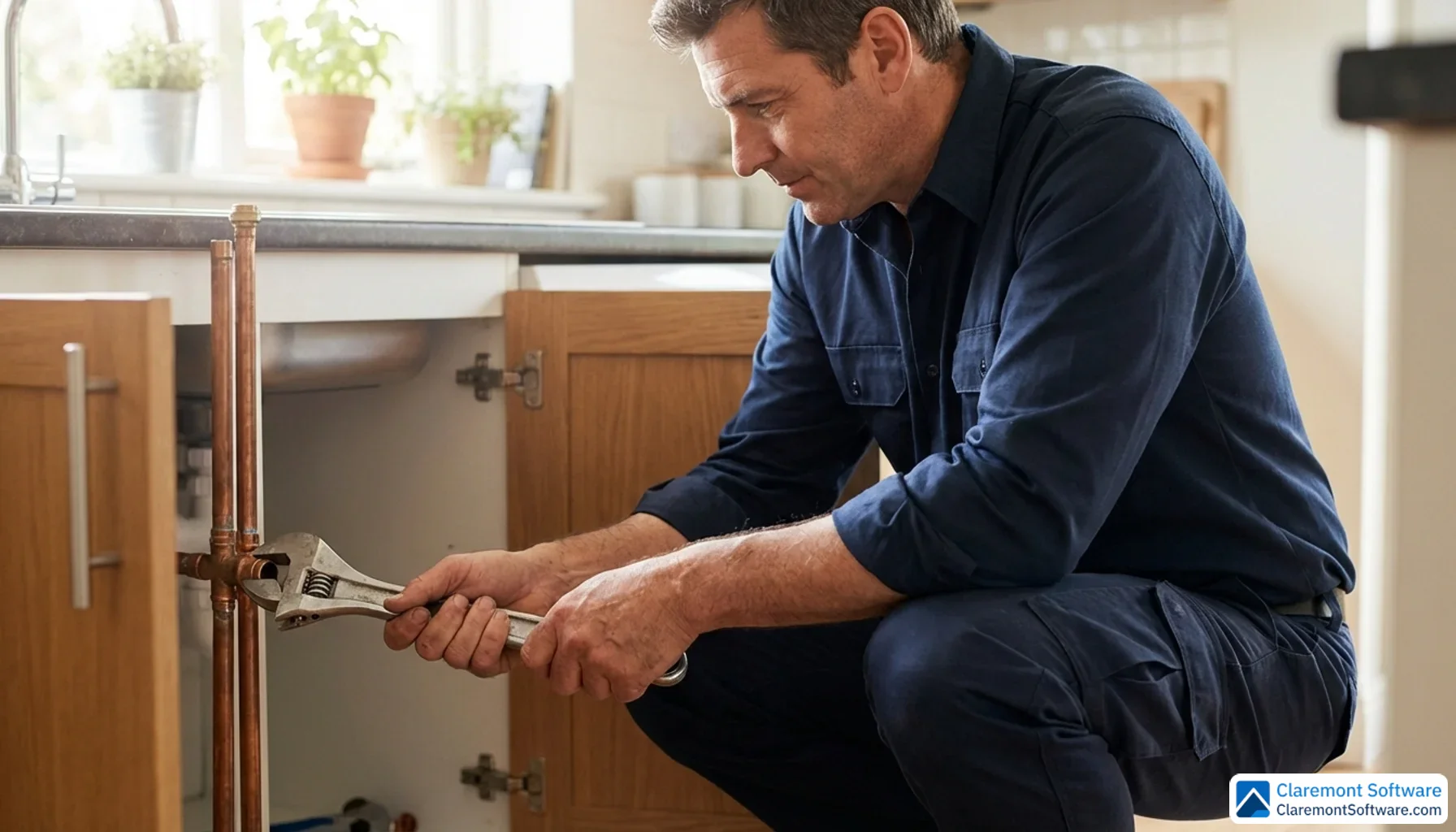
It's 2 AM, and somewhere in your service area, a homeowner is standing in two inches of water, heart pounding, phone already in hand. They're not scrolling through a directory or asking a neighbor for recommendations — they're typing "emergency plumber near me" into Google and calling whoever appears first. That split-second moment is where plumbing businesses are won and lost in 2026.
With 97% of consumers now searching online for local services, your Google Business Profile isn't just a helpful digital listing — it's the most powerful revenue-generating asset your plumbing business owns, and it's completely free. Yet most plumbers treat it as an afterthought, leaving thousands of dollars in uncaptured jobs on the table every single month.
This guide changes that. Whether you're an independent plumber building your first online presence, a growing multi-location operation, or a franchise contractor competing in a crowded market, you'll find everything you need here — from initial setup and verification to advanced strategies covering AI search optimization, voice search, review management, and beyond. Let's make sure the next homeowner with a burst pipe calls you.
What Is Google Business Profile and Why It Matters for Plumbers
Google Business Profile — formerly known as Google My Business — is a free listing tool that places your plumbing business directly in front of customers searching on Google Search and Google Maps. When your profile is fully built out, it displays everything a potential customer needs to make a hiring decision: your business name, service area, phone number, operating hours, services offered, photos of your work, and a running feed of customer reviews. All of that information appears before a customer ever clicks through to your website.
For plumbers, this matters more than it does for almost any other trade. Plumbing is an urgency-driven industry. When a pipe bursts or a water heater fails, customers aren't browsing — they're searching with intent and they're calling the first credible result they see. Your GBP listing is often the very first impression your business makes, and in many cases, it's the only impression you get to make.
The numbers back this up. 74% of customers search for a business online before making contact, and a striking 72% of people who search "plumber near me" contact a business within 5 miles of their location. That means proximity and profile completeness aren't just nice-to-haves — they are the direct variables that determine whether your phone rings or a competitor's does.
At the center of all of this is the Google Local Pack, also called the Map Pack. This is the block of three local business listings that appears at the very top of Google's search results — above every organic website listing — whenever someone searches for a local service. Earning one of those three spots is the single most valuable position in local search for plumbing contractors. It's high-visibility, high-intent real estate, and your Google Business Profile is the key to getting there.
Step-by-Step GBP Setup and Verification for Plumbing Businesses
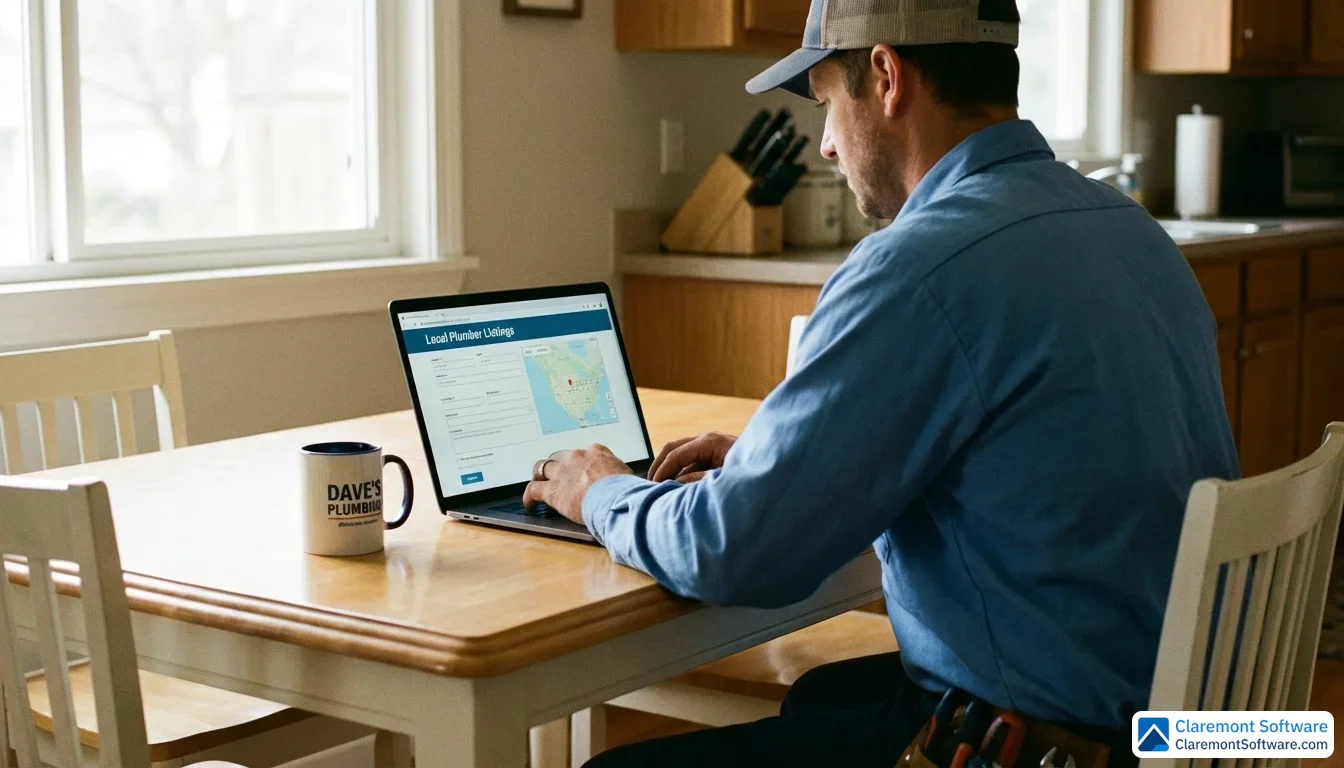
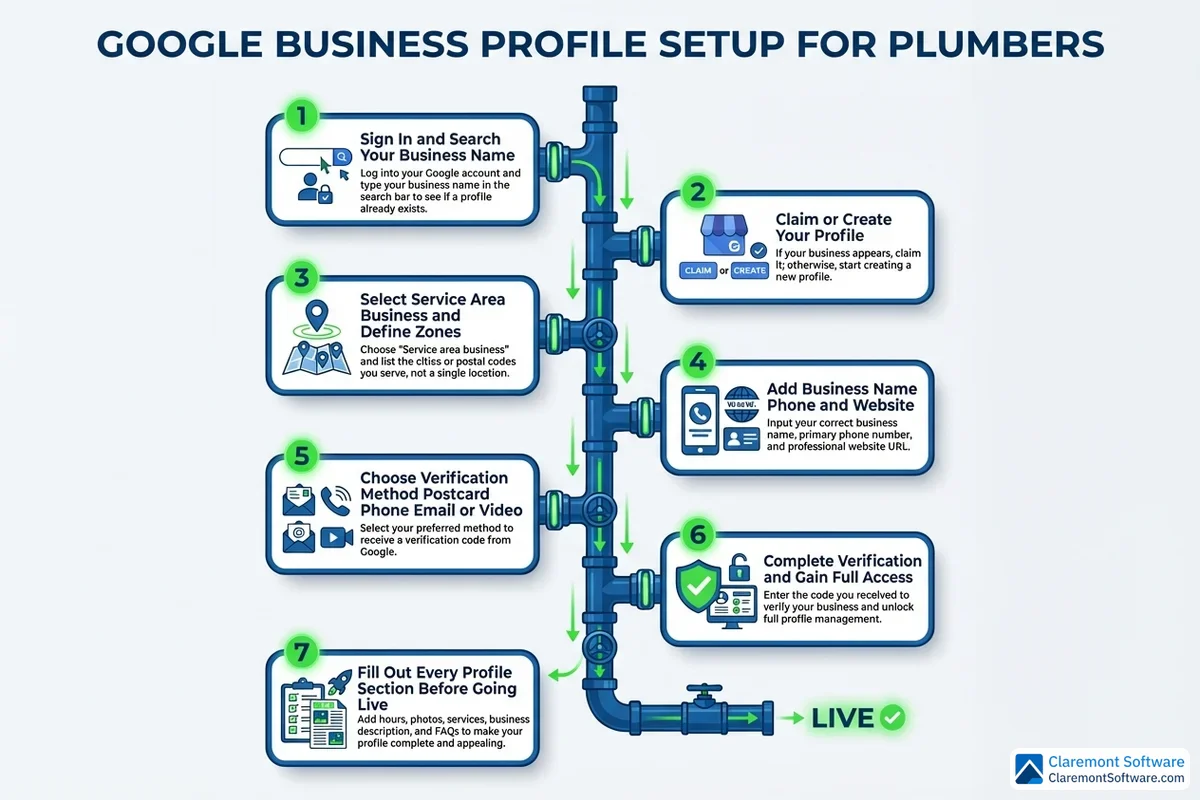
Getting your plumbing business onto Google Business Profile is a straightforward process — but the details matter. A single misstep during setup can delay your verification by weeks or, worse, trigger a suspension that takes your listing offline entirely.
Creating or Claiming Your Listing
Start by navigating to the Google Business Profile manager and signing in with a Google account you own and control. Before creating a new listing from scratch, search for your business name first. Google may have already auto-generated a listing for your company based on data it has collected from other sources. If an existing listing appears, claim it rather than creating a duplicate — two listings for the same business is a red flag that can lead to suspension.
If no listing exists, select "Add your business" and follow the prompts. You'll enter your business name, choose your primary category (select "Plumber" here — more on categories in the next section), and indicate whether you serve customers at a physical location or travel to them.
Choosing the Right Business Type: SAB vs. Storefront
This is one of the most important decisions you'll make during setup, and it's where many plumbers go wrong. If customers don't come to your office — which is the case for the vast majority of plumbing businesses — you must configure your listing as a Service Area Business (SAB) and hide your physical address. Google's guidelines are explicit on this point: displaying a home address or a non-customer-facing office as a public storefront violates their policies and can result in suspension.
Instead of a street address, you'll define your service area by city, county, or zip code. Google recommends keeping your service area within approximately a two-hour driving distance from your base of operations. Don't be tempted to cast a wider net than you can realistically serve — Google's algorithm factors in proximity heavily, and claiming an unrealistically large service area can actually dilute your ranking signals in the areas where you do most of your work. Focus on the zones where your technicians are densest and your response times are fastest.
Verification Methods in 2026
Once your listing is configured, Google will ask you to verify ownership. The available methods include:
- Postcard — A physical card mailed to your business address containing a verification code. This remains the most common method but can take 5–14 business days or longer, so request it early.
- Phone or email — Faster options available to some businesses, where Google sends a code instantly.
- Video call — An increasingly common method where a Google representative verifies your business in real time. Have your license, a utility bill, and branded vehicle or equipment ready to show on camera.
To speed up the process, ensure your business name and address are entered exactly as they appear on your official documents before requesting verification.
Common Setup Mistakes That Cause Suspensions
Avoid these pitfalls from day one:
- Keyword stuffing your business name — Adding terms like "Emergency Plumber 24/7" to your official business name violates Google's guidelines and can trigger an immediate suspension.
- Using a P.O. box or virtual office address — Google requires a verifiable, real-world location.
- Creating duplicate listings — One listing per physical location, no exceptions.
- Mismatched business information — Your name, address, and phone number must match exactly what appears on your website and other directories.
Getting the foundation right means everything that follows — categories, photos, reviews — builds on solid ground.
Choosing the Right Primary and Secondary Categories
Category selection is one of the most consequential decisions you'll make on your Google Business Profile — and one of the most misunderstood. Google uses your categories as a primary signal to determine which searches should trigger your listing, so getting this right has a direct impact on how often and for what terms your profile appears.
Your Primary Category: Non-Negotiable
Your primary category should always be "Plumber." Full stop. This single selection carries more ranking weight than any other category choice you'll make, and it's the foundation of your visibility for the broadest range of plumbing-related searches. Don't be tempted to swap it out for something more specific — even if drain cleaning or water heater installation represents the bulk of your revenue, "Plumber" is the umbrella term that captures the widest, highest-intent search traffic.
Strategic Secondary Categories
Google allows up to 9 secondary categories, and each one you choose is an opportunity to appear in more targeted searches. The key word here is strategic — your secondary categories should reflect services you actually offer and actively want to rank for. Strong options for most plumbing businesses include:
- Drain Cleaning Service — captures high-volume, specific-intent searches
- Water Heater Installation Service — essential if you install or repair water heaters
- Sewer Service — targets sewer line inspection, repair, and replacement queries
- Emergency Plumber — critical if you genuinely offer 24/7 emergency response
- Gasfitter — relevant if your technicians are licensed for gas line work
Each secondary category you add essentially opens a new lane of search visibility. A homeowner searching specifically for "water heater installation near me" is more likely to see your listing if that category is explicitly selected — Google uses it as a matching signal.
What to Avoid
Resist the urge to add categories that don't reflect your actual services. Selecting "HVAC Contractor" or "General Contractor" to capture additional traffic may seem harmless, but it dilutes your core ranking signals and can raise red flags with Google's quality systems. Relevance always outperforms reach when it comes to category selection.
Audit Your Competitors
Before finalizing your categories, search for plumbers in your local market and examine which categories competitors are using. You may find gaps — services you offer that they haven't categorized for — that represent immediate ranking opportunities waiting to be claimed.
Writing a Keyword-Rich Business Description That Converts
Your business description is 750 characters of premium real estate — treat every single one like it costs money, because in terms of the leads it influences, it does.
Unlike your categories, which work behind the scenes as ranking signals, your description is customer-facing copy. It needs to do two jobs simultaneously: satisfy Google's crawlers with relevant keywords and convince a stressed homeowner at midnight that you're the right person to call.
Front-Load What Matters Most
Google may truncate your description in certain display formats, so lead with your highest-value information. Your first sentence should establish who you are, where you serve, and what makes you worth calling. Think: primary services, service area, and your strongest differentiator — whether that's 24/7 availability, same-day response, or decades of experience.
Weave In Keywords Naturally
This is where many plumbers either under-optimize (writing generic filler) or over-optimize (stuffing keywords until the copy reads like a robot wrote it). The goal is natural integration of service-specific terms that real customers actually search for. Terms like hydro jetting, trenchless repair, leak detection, and tankless water heater installation belong in your description — but only if you actually offer those services, and only when they read naturally in context.
Include Trust Signals
Licensing, insurance, certifications, and industry affiliations aren't just legal formalities — they're conversion triggers. Customers choosing between two plumbers will default to the one that signals credibility. Mention your state license, any manufacturer certifications, and whether you're bonded and insured.
Weak vs. Optimized: A Real Example
❌ Before: "We are a local plumbing company serving the area. We do all types of plumbing work and have been in business for many years. Call us today for a free estimate. We are licensed and insured."
✅ After: "Licensed, insured plumbers serving Denver and surrounding counties — available 24/7 for emergency repairs, drain cleaning, hydro jetting, leak detection, trenchless sewer repair, and tankless water heater installation. With 15+ years of experience and an A+ BBB rating, we guarantee same-day service on most calls. Fully licensed (CO Lic. #XXXXX) and background-checked technicians on every job."
The optimized version packs in service keywords, a geographic anchor, trust signals, and a value proposition — all within the character limit.
Building Visual Authority with Photos, Videos, and Geo-Tagging
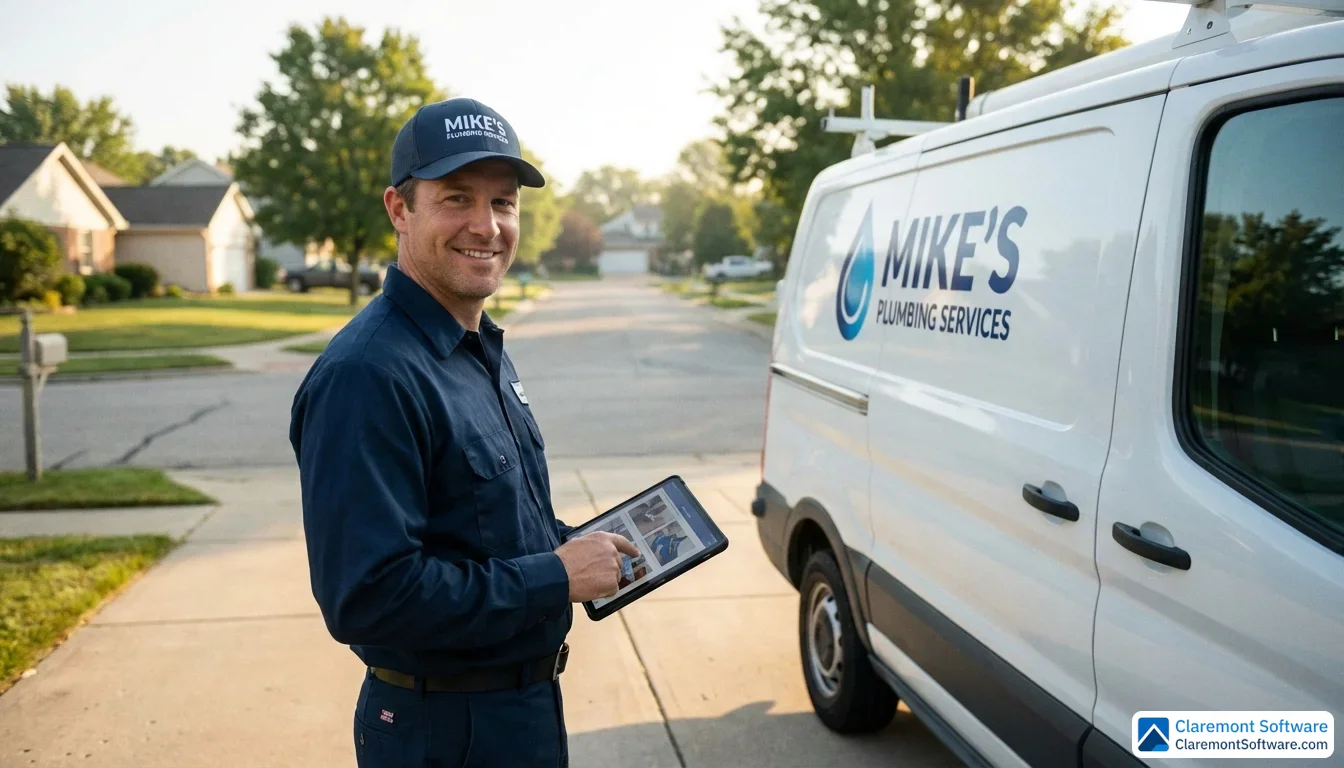
Your Google Business Profile listing doesn't just need to be found — it needs to be believed. And nothing builds instant credibility faster than compelling visual content. The numbers back this up: profiles with photos receive 42% more requests for directions, and videos increase engagement by 80% compared to text-only profiles. For a plumber competing in a crowded local market, that's not a marginal advantage — it's the difference between a phone that rings and one that doesn't.
Prioritize High-Impact Photo Types
Not all photos carry equal weight. Focus your efforts on the images that do the most conversion work:
- Branded work vehicles — a clean, logo-wrapped van signals professionalism and local presence before a customer reads a single word
- Uniformed technicians on job sites — real people doing real work builds trust in a way stock photography never can
- Before-and-after project shots — a corroded pipe replaced with clean copper fittings tells a story that resonates immediately with homeowners facing similar problems
- Team photos — humanizing your business reduces the anxiety customers feel about letting a stranger into their home
- Equipment close-ups — hydro jetting rigs, pipe inspection cameras, and trenchless equipment signal capability and investment in quality tools
Geo-Tagging: The Hidden Ranking Lever
Before uploading photos, embed GPS coordinates into the image metadata — a process known as geo-tagging. When Google's crawlers process your images, those location signals reinforce your relevance for searches in specific neighborhoods or zip codes. This is particularly valuable for plumbers serving multiple areas within a larger metro region, where proximity signals can make or break your Map Pack placement.
Video Content That Converts
Short-form video is increasingly influential in local search. Effective formats include 60-second service explainers ("How to shut off your main water valve"), customer testimonial clips filmed immediately after a successful job, time-lapse videos of complex installations, and seasonal maintenance tips tied to current weather conditions.
Upload Frequency Matters
Aim to upload 3–5 new photos per week. Consistent activity signals to Google's algorithm that your business is active and engaged — a freshness factor that contributes to sustained ranking performance over time.
Mastering Review Generation and Professional Response Strategy
With 87% of consumers reading online reviews before hiring a plumber, your review profile isn't just a reputation metric — it's an active ranking signal and a conversion engine running simultaneously. A plumber with 200 reviews averaging 4.8 stars doesn't just look more trustworthy than a competitor with 12 reviews; they almost certainly rank higher in the Map Pack too.
How Google's AI Reads Your Reviews
Here's something most plumbers don't realize: Google's AI doesn't just count your stars — it reads the actual text. When a customer writes "called them for an emergency sewer line repair at midnight and they arrived within the hour," Google's algorithm registers that as a relevance signal for searches like "emergency sewer repair" and "24-hour plumber." Every time a customer naturally mentions drain cleaning, water heater installation, hydro jetting, or leak detection in their review, it reinforces your ranking for those specific service queries. This means the content of your reviews matters as much as the volume.
A Systematic Review Generation Strategy
The plumbers who dominate local search don't wait and hope for reviews — they build a repeatable system:
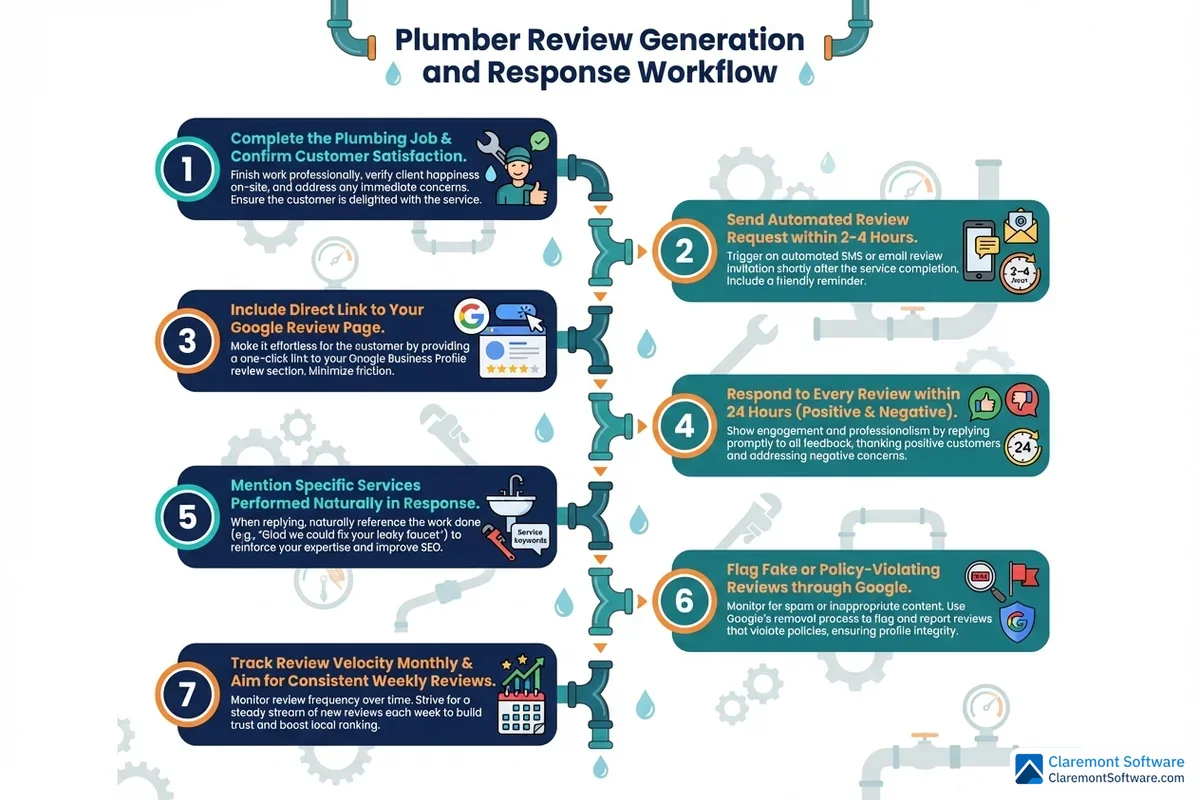
- Post-job text requests — send a personalized SMS with your review link 2–4 hours after service completion, when customer satisfaction is at its peak and the experience is still fresh
- Email follow-ups — for customers who don't respond to the text, a follow-up email 24 hours later captures a second wave of responses
- QR codes on invoices and job cards — a simple scan eliminates friction for customers who want to leave a review but won't manually search for your listing
- Verbal requests at the door — train your technicians to ask directly: "If you were happy with the service today, we'd really appreciate a Google review — it helps our small business enormously"
Timing is everything. Requests sent within that 2–4 hour post-job window consistently outperform those sent days later.
Professional Response Templates That Build Trust
Responding to every review — positive and negative — demonstrates the E-E-A-T signals (Experience, Expertise, Authoritativeness, Trustworthiness) that Google rewards. Here's how to approach both:
✅ Positive review response: "Thank you so much, [Name]! We're thrilled the water heater installation went smoothly and that our team arrived on time. We appreciate you trusting us with your home — don't hesitate to call if you ever need anything."
Note how the response naturally echoes the service keyword from the review, reinforcing that relevance signal.
❌ Negative review response: "Thank you for your feedback, [Name]. We're sorry your experience didn't meet our standards — this isn't typical of the service we deliver. Please call us directly at [number] so we can make this right. We stand behind every job we complete."
Never argue, never deflect, and never ignore. A professional response to a negative review often impresses prospective customers more than the negative review itself damages you.
Handling Fake or Malicious Reviews
If a review is clearly fraudulent — from a competitor, a person who was never a customer, or contains false claims — flag it immediately through Google's review removal process. Navigate to the review, click the three-dot menu, and select "Report review." Document your case thoroughly. If the initial flag is rejected, escalate through Google Business Profile support with evidence. For reviews containing defamatory or legally actionable content, consult an attorney about your options alongside the platform appeal process.
Review Velocity: Consistency Beats Bursts
A sudden influx of 50 reviews in one week followed by months of silence raises red flags for Google's spam detection systems. What the algorithm rewards is steady, consistent velocity — five to ten genuine reviews per month, month after month, signals an active and legitimate business far more convincingly than any short-term surge. Build your review generation system into your standard post-job workflow, and the results will compound over time.
Google Posts Strategy: Staying Visible Between Jobs
Most plumbers think of their Google Business Profile as a static listing — something you set up once and leave alone. Google thinks differently. An inactive profile is a deprioritized profile, and one of the most effective ways to signal ongoing relevance is through consistent Google Posts. These short-form updates appear directly on your listing in Search and Maps, and they stay live for seven days before expiring. That expiration date isn't a limitation — it's a built-in reminder to keep showing up.
The Four Post Types Every Plumber Should Rotate
Rather than posting randomly, build a weekly rhythm around four content categories that serve different customer intents:
- Promotional offers — seasonal discounts, first-time customer deals, or bundled service packages ("$50 off water heater installation this month only") create urgency and give fence-sitters a reason to call now
- Educational tips — practical advice like "how to prevent frozen pipes this winter" or "signs your water heater needs replacing" positions your business as a trusted local expert, not just a service vendor
- Project showcases — before-and-after case studies with a brief description of the problem and solution demonstrate real capability and help prospective customers visualize what you can do for them
- Company updates — new service offerings, expanded coverage areas, technician certifications, or community involvement keep your profile feeling current and human
Incorporating Keywords Without Sounding Like a Robot
Each post is an opportunity to naturally weave in service terms and location references — but the emphasis is on naturally. A post about winterization tips can organically mention "pipe insulation," "burst pipe repair," and your city name without reading like a keyword list. Write the way a knowledgeable neighbor would talk, and the SEO value follows.
A Seasonal Posting Calendar That Matches Customer Demand
Align your content with what homeowners are actually worried about each season:
- Winter — frozen pipe prevention, emergency burst pipe response, boiler maintenance
- Spring — sewer line inspections after ground thaw, sump pump checks, water heater efficiency
- Summer — increased water heater demand, outdoor plumbing, irrigation system connections
- Fall — pre-winter pipe insulation, water heater tune-ups, drain cleaning before holiday gatherings
Always Close With a Call-to-Action
Every post should end with a direct next step — "Call Now," "Book Online," or "Learn More." Don't assume a reader will figure out what to do next. Make it effortless, and you'll convert profile browsers into booked jobs.
Optimizing for 'Near Me,' Emergency, and Voice Searches
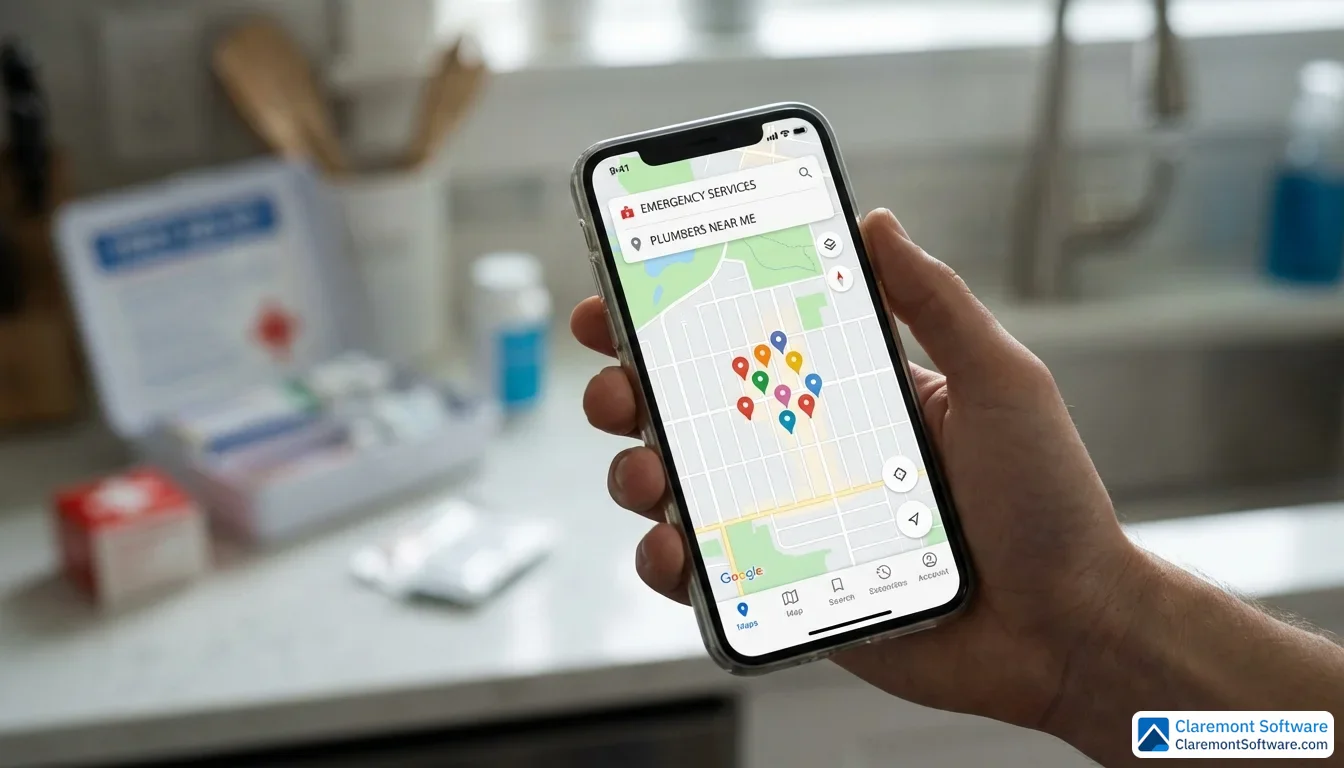
When a homeowner types "emergency plumber near me" into their phone at midnight, they're not browsing — they're buying. Understanding the mechanics behind how Google decides which plumbers appear for those high-stakes searches is what separates contractors who dominate their local market from those who wonder why the phone isn't ringing.
Proximity: The Ranking Factor You Can't Fake
According to Google's own product experts, proximity is the single biggest ranking factor for local service searches. Simply put, Google wants to show searchers the closest qualified option. You can't move your business to be physically closer to every customer, but you can maximize your proximity signals through precise service area configuration. Set your service boundaries to reflect where you realistically dispatch technicians — not the largest possible polygon you can draw. Overstretching your service area into territories you rarely cover dilutes your relevance signals in the areas where you actually win jobs. Tighter, denser coverage in your core operating zones consistently outperforms sprawling, aspirational boundaries.
Emergency Intent: You Have to Mean It
If your profile claims 24/7 emergency availability, that promise has to be real — every single night, including holidays. Google's algorithm monitors behavioral signals: if customers call your "24/7" number at 2 AM and reach voicemail, the resulting negative reviews and abandoned calls will erode your ranking faster than almost any other factor. Emergency plumbing searches carry some of the highest commercial intent of any local query, but capturing that traffic only pays off if you can actually convert it. Staff accordingly, or remove the 24/7 claim entirely. A realistic profile that delivers on its promises will always outperform an inflated one that doesn't.
Voice Search: Speak Your Customer's Language
Voice queries like "Hey Google, find a plumber near me" or "What's the best emergency plumber in [city]?" are phrased conversationally — and your profile needs to reflect that natural language. Where your written content might target "drain cleaning service," a voice searcher asks "who can unclog my drain today?" Structuring your services, Q&A responses, and post content around these conversational long-tail phrases helps your listing surface in voice results. Complete, detailed service menus give Google's voice engine the structured data it needs to confidently recommend your business as a direct spoken answer.
AI Overviews and Zero-Click Searches
Google's AI Overviews are increasingly generating direct answers to plumbing queries — pulling business details, service descriptions, and review content from GBP listings to construct those responses. A sparse or incomplete profile simply won't be cited. The plumbers who appear in AI-generated answers are the ones with fully populated profiles: detailed service descriptions, accurate hours, rich photo libraries, and semantically varied review content.
This connects directly to the rise of zero-click searches, where customers get enough information from the search results page that they never visit your website at all. Rather than fighting this trend, lean into it. Make your GBP the conversion tool: publish your phone number prominently, list every service you offer, display your service area clearly, and ensure your hours are always current. A customer who calls directly from your listing without ever clicking through to your website is still a booked job — and that's the outcome that matters.
NAP Consistency and Local Citation Building
Think of your Google Business Profile as the hub of a wheel. The spokes extending outward — your Yelp listing, Angi profile, HomeAdvisor page, local chamber directory, and dozens of other online mentions — all need to point back to the same consistent information. When they don't, Google notices the contradictions and loses confidence in your listing. That loss of confidence translates directly into lower rankings.
Why NAP Consistency Is Non-Negotiable
NAP stands for Name, Address, and Phone Number — the three data points that define your business identity across the web. Even seemingly trivial inconsistencies create problems. "ABC Plumbing LLC" and "ABC Plumbing" look the same to a human but register as different entities to search crawlers. "Suite 100" versus "#100" versus no suite number at all introduces doubt. A phone number that changed two years ago but still appears on a dozen old directory listings actively undermines your local authority. Google cross-references these signals constantly, and inconsistency is a ranking liability.
The Most Important Citation Sources for Plumbers
Not all citations carry equal weight. Prioritize these in order:
- General directories — Google Business Profile, Yelp, Bing Places, Apple Maps, and Facebook form the foundation
- Industry-specific directories — platforms focused on home services and contractor listings carry strong relevance signals for plumbing searches
- Local sources — your city's chamber of commerce, local business associations, and regional news sites provide geographic authority that national directories can't replicate
- Review platforms — sites where customers actively leave feedback double as citation sources and trust signals simultaneously
Auditing Your Existing Citations
Before building new citations, clean up what already exists. Search your business name, phone number, and address variations in Google to surface inconsistent listings. Manual searches are time-consuming but thorough — and they often reveal outdated listings from previous addresses or phone numbers that have been quietly damaging your rankings for years.
Call Tracking Without Breaking NAP
Many plumbing companies want to track which marketing channels are generating calls — a completely reasonable goal. The mistake is publishing a unique tracking phone number on your GBP listing or major directories, creating an immediate NAP conflict. The cleaner solution is to keep your primary business number consistent everywhere and implement call tracking through your website or campaign-specific landing pages instead. UTM parameters in your GBP website link can attribute traffic without touching your phone number.
Multi-Location Plumbing Operations
If your plumbing company operates out of multiple physical locations, each location deserves its own dedicated GBP listing with its own unique address, local phone number, and service area configuration. Attempting to manage multiple territories through a single listing dilutes your relevance for every market you serve. One location, one listing — it's a straightforward rule that pays compounding dividends as each listing builds its own local authority independently.
Leveraging Q&A, Messaging, and Booking Features
Most plumbers focus their GBP optimization energy on the visible elements — photos, reviews, posts — and completely overlook three built-in features that quietly convert browsers into booked jobs every single day: the Q&A section, the messaging tool, and the booking integration.
Turn the Q&A Section Into a Keyword-Rich Resource
Google allows anyone to ask questions on your listing — and anyone to answer them. That includes you. Don't wait for customers to populate this section organically. Proactively seed it with the questions your customers actually ask: Do you offer emergency plumbing services on weekends? Are your technicians licensed and insured? What areas do you serve? Do you provide free estimates for drain cleaning?
Each answer you write is an opportunity to naturally incorporate service-specific keywords while simultaneously addressing the concerns that make customers hesitate before calling. Think of it as a public FAQ that works for you around the clock — and one that Google's search crawlers and AI Overviews actively read when assembling answers to local plumbing queries.
Messaging: Capture the Customers Who Won't Call
Not every customer wants to pick up the phone, especially for non-emergency inquiries. The GBP messaging feature lets prospects contact you directly from your listing via text-style chat. Enable it, monitor it consistently, and set a welcome message that confirms response times. An unanswered message is a lost lead — and Google tracks your response rate, which can influence how prominently the feature is displayed on your profile.
Booking Integration and CRM Connectivity
If you use field service management software, connecting it directly to your GBP listing allows customers to schedule appointments without ever leaving the search results page. Fewer steps between intent and booking means higher conversion rates. That same integration can feed new leads directly into your CRM, eliminating manual data entry and ensuring no inquiry slips through the cracks.
Detailed Service Menus: Speak to Both Customers and Crawlers
Google's service menu feature lets you list individual offerings — drain cleaning, water heater installation, hydro jetting, sewer line repair — each with its own description. This structured data helps search crawlers and AI-powered tools understand the full scope of your capabilities, making your listing more likely to surface for specific service queries rather than just broad "plumber near me" searches.
Tracking Performance with GBP Insights and ROI Attribution

Getting traffic to your GBP listing is only half the battle. Understanding where that traffic comes from, what actions it drives, and whether those actions translate into booked jobs is what separates plumbers who grow intentionally from those who simply hope the phone keeps ringing.
The Metrics That Actually Matter
GBP Insights gives you a direct window into how customers are finding and interacting with your listing. Focus on these core metrics:
- Search queries — the exact terms people typed before finding your profile. These reveal ranking opportunities you may not have optimized for yet, and gaps where competitors are outperforming you
- Profile views — total impressions across Search and Maps, broken down by platform
- Direction requests — a strong indicator of high-intent local customers actively planning to engage your services
- Phone calls — tracked directly from the listing's click-to-call button
- Website clicks — traffic being handed off from your GBP to your site
- Photo engagement — which images are generating the most views, helping you refine your visual content strategy over time
Connecting GBP Data to Real Revenue
Raw clicks and views mean nothing without attribution. Add UTM parameters to the website URL in your GBP listing so Google Analytics can identify exactly which visits originated from your profile. For calls, implement tracking through your website or campaign landing pages rather than your GBP listing itself — preserving NAP consistency while still capturing the data you need to calculate true cost-per-lead and ROI.
Competitive Benchmarking
Search your primary service keywords in Google Maps and audit the top-ranking competitor profiles. Note their review count, posting frequency, photo volume, and category selections. Identifying what they're doing well — and where they're falling short — gives you a concrete roadmap for differentiation.
Your Monthly GBP Audit Checklist
Treat this as a non-negotiable routine:
- Review new search queries for emerging keyword opportunities
- Upload fresh photos and retire outdated ones
- Publish a new Google Post before the previous one expires
- Respond to any unanswered reviews
- Check for unauthorized edits or spam — Google allows public suggestions that can silently alter your listing details
Future-Proofing Your Plumbing GBP for AI Search and Beyond
The local search landscape is shifting faster than a burst pipe in January. Google's AI-powered tools — including AI Overviews and conversational search interfaces — are increasingly pulling structured data directly from Google Business Profiles to generate recommendations without users ever clicking a traditional search result. For plumbers, this means one thing: a complete, semantically rich, and well-structured GBP isn't just a nice-to-have anymore. It's the difference between being cited in an AI-generated answer and being invisible to an entirely new generation of search behavior.
How AI Search Tools Use Your GBP Data
When a homeowner asks an AI-powered search tool to recommend an emergency plumber, the system doesn't browse websites the way a human would. It pulls structured signals — your categories, services, reviews, Q&A content, and business attributes — and assembles a recommendation based on completeness and relevance. Profiles that use specific service terminology, maintain consistent structured data, and carry strong E-E-A-T signals are far more likely to be surfaced in these AI-generated responses. Every field you leave blank is an opportunity you're handing to a competitor.
Google Guaranteed and Local Services Ads Integration
For plumbers who want to stack every available trust signal, integrating Google Guaranteed badges and Local Services Ads (LSA) with your GBP creates a powerful visibility combination. The Google Guaranteed badge — earned through a background check and license verification process — appears prominently in search results and signals to customers that Google itself has vetted your business. LSAs operate on a pay-per-lead model and pull directly from your GBP data, meaning a stronger, more complete profile directly improves your LSA performance and lead quality.
Schema Markup: Reinforcing GBP Signals on Your Website
Your GBP doesn't operate in isolation. The structured data you implement on your plumbing website — specifically LocalBusiness schema, Service schema, and Review schema — reinforces the same signals Google reads from your profile. When your website and GBP tell a consistent, structured story about who you are, what you do, and where you serve, search crawlers and AI tools gain higher confidence in your relevance for local plumbing queries.
E-E-A-T Signals That Matter for Plumbers
Google's E-E-A-T framework — Experience, Expertise, Authoritativeness, and Trustworthiness — applies directly to local service businesses. For plumbers, this means actively showcasing your state license numbers, insurance certificates, industry certifications, years of operation, and documented project work. Don't just claim expertise — prove it through photo documentation of completed jobs, detailed service descriptions, and review content that references specific technical work. These signals carry increasing weight as AI systems evaluate which businesses deserve prominent placement.
Franchise vs. Independent Operators in 2026
Franchise plumbing operations and independent contractors face different GBP challenges. Franchises must balance brand consistency with hyper-local optimization — each location needs its own fully optimized listing with locally relevant photos, reviews, and service descriptions rather than generic corporate content. Independent operators, by contrast, have the agility to move quickly, respond personally to reviews, and build authentic community presence that larger franchise networks often struggle to replicate. In 2026, that authenticity is itself a competitive advantage worth leaning into.
Conclusion
The plumbers who dominate local search in 2026 won't be the ones with the biggest trucks or the longest history — they'll be the ones who treat their Google Business Profile as the living, breathing digital storefront it actually is.
Start with the fundamentals: complete every section, select your categories with precision, maintain airtight NAP consistency, and build a steady, authentic stream of customer reviews. Layer in consistent visual content, weekly Google Posts, and a proactive Q&A strategy to signal ongoing activity to Google's algorithm. As AI-powered search continues reshaping how homeowners find and hire plumbers, structured data and strong E-E-A-T signals will increasingly separate the contractors who get cited in AI-generated answers from those who disappear entirely.
Most importantly, commit to the work on a monthly basis. Local SEO is not a one-time setup — it's a compounding competitive advantage that rewards consistency over time. Every optimized photo, every responded-to review, and every published post is another brick in a foundation your competitors are likely neglecting.
The next emergency search in your area is happening right now. Make sure your listing is the one that answers it.
Related Reading
- Plumber SEO: Why Your Company Doesn't Show Up on Google
- Plumber Digital Marketing: The Complete Guide
- Plumber Lead Generation: 12 Strategies That Book Jobs
Frequently Asked Questions
How do I set up a Google Business Profile for my plumbing business?
To set up a Google Business Profile, sign into your Google account and visit google.com/business. Search for your business name to check if a listing already exists — if so, claim it; if not, create one from scratch. Enter your business name, select 'Plumber' as your primary category, and add your phone number, website, and service areas. Since most plumbers operate as Service Area Businesses (SABs), you'll hide your physical address and define the regions you serve instead. Once submitted, you'll need to verify your listing via postcard, phone, email, or video call. Postcard verification typically takes 5–14 business days. Complete every section of your profile before and after verification to maximize your local search visibility from day one.
What categories should a plumber choose on Google Business Profile?
Your primary category should always be 'Plumber' — it's the strongest ranking signal for plumbing-related searches and should never be substituted. Beyond that, Google allows up to 9 secondary categories, which you should use strategically based on your actual services. Strong choices include Drain Cleaning Service, Water Heater Installation Service, Sewer Service, and Emergency Plumber. Each secondary category helps your listing surface for more specific queries — for example, adding 'Water Heater Installation Service' makes you more likely to appear when someone searches for water heater repairs or replacements. Avoid adding irrelevant categories just to gain visibility, as this can dilute your ranking signals and may trigger a Google penalty. Audit your local competitors' categories regularly to spot opportunities they may be missing.
How do Google reviews affect my plumbing company's local search ranking?
Google reviews are both a ranking factor and a conversion factor for plumbers. 87% of consumers read online reviews before hiring a plumber, making them critical to winning new business. Beyond star ratings, Google's AI reads the semantic text within reviews — meaning when customers mention specific services like 'sewer line repair' or 'emergency leak fix,' those keywords actively boost your rankings for those searches. Review velocity also matters: a steady, consistent stream of new reviews over time outperforms a sudden burst. To build momentum, send review requests via text or email 2–4 hours after job completion, use QR codes on invoices, and always respond professionally to every review to demonstrate trustworthiness and engagement.
Should I hide my address on Google Business Profile as a service area plumber?
Yes — if you don't serve customers at your physical office or shop, Google's guidelines require you to hide your address on your Google Business Profile. This applies to the vast majority of plumbing businesses, which operate as Service Area Businesses (SABs). Instead of displaying a street address, you'll define the geographic regions you serve. Google recommends keeping your service areas within a two-hour driving distance from your base of operations. Displaying an address when you don't actually meet customers there violates Google's policies and can result in your listing being suspended. Hiding your address does not hurt your local search rankings — proper service area configuration and profile completeness are what drive visibility.
How often should I post on my Google Business Profile?
You should post on your Google Business Profile at least once per week. Google Posts stay live for only 7 days, so weekly updates are essential to keep your profile fresh and signal to Google that your business is active. Rotate between four post types for maximum impact: promotional offers (seasonal discounts), educational tips (pipe winterization, water heater maintenance), project showcases (before-and-after photos), and company updates. Always include a clear call-to-action in every post — such as 'Call Now,' 'Book Online,' or 'Learn More' — to drive direct conversions from your listing. A consistent posting schedule also supports a seasonal content strategy, letting you address timely topics like frozen pipes in winter or sewer inspections in spring.
How do I handle fake or negative reviews on my plumbing GBP listing?
For fake or malicious reviews, flag the review directly in your Google Business Profile dashboard by clicking the three-dot menu next to the review and selecting 'Report review.' Provide a clear explanation of why the review violates Google's policies. If the review isn't removed, you can submit an appeal through Google's Business Profile support. For legitimate negative reviews, respond promptly and professionally — acknowledge the concern, apologize where appropriate, and offer to resolve the issue offline. Never argue publicly or ignore negative feedback. A well-crafted response to a negative review demonstrates professionalism and E-E-A-T signals to both Google and prospective customers. In cases of defamatory content, consult a legal professional about additional options.
Can I have multiple Google Business Profile listings for my plumbing company?
Yes, but only under the right circumstances. If your plumbing company operates from multiple distinct physical locations — such as separate offices or dispatch centers in different cities — each location should have its own individual Google Business Profile listing. This gives each location the best chance of ranking in its respective local market. However, you should never create multiple listings for the same location or use one listing with multiple service areas as a workaround. Doing so violates Google's guidelines and can result in listing suspensions. For single-location plumbers who serve a wide geographic area, the correct approach is to configure your service area within one listing rather than creating duplicate profiles.
How do I optimize my plumbing GBP for voice search and AI-powered results?
To optimize for voice search and AI-powered results, focus on making your Google Business Profile as complete and structured as possible. Voice queries like 'Hey Google, find a plumber near me' favor listings with accurate service areas, clearly defined services, consistent NAP data, and strong review signals. Use conversational, long-tail keywords naturally throughout your business description, Google Posts, and Q&A section. Google's AI Overviews pull data directly from GBP listings, so structured service menus, detailed descriptions, and semantically rich content increase your chances of being cited in AI-generated answers. Ensure your profile includes trust signals like licensing, certifications, and years of experience — these E-E-A-T signals are increasingly important as AI tools evaluate which plumbers to recommend.