Why Your Startup's Website is Your Most Critical Business Asset

Startup website development is the process of creating a professional, user-focused website that communicates your value proposition, builds trust, and converts visitors into customers—all while working within the typical constraints of limited budget and time.
Quick Answer: Core Elements of Startup Website Development
- Clear Value Proposition - Communicate what you do and why it matters in seconds
- Mobile-First Design - Ensure flawless performance across all devices
- Trust Signals - Add testimonials, social proof, and credible design elements
- Simple Navigation - Make it easy for visitors to find what they need
- SEO Foundation - Build visibility into search engines from day one
- Scalable Platform - Choose technology that grows with your business
- Conversion Focus - Design every element to turn visitors into leads
Every startup begins with an idea, but a compelling website is what turns that idea into a business. Your website is often the first impression you make, and it needs to be more than a digital business card—it's your #1 growth engine. A polished, professional site builds credibility and drives conversions, while a poor one sends potential customers to your competitors.
The challenge for startups is balancing quality with limited resources and ensuring the site can scale as the business grows. This playbook will guide you through creating a website that not only looks exceptional but performs exceptionally, turning your vision into a high-performing digital presence that delivers real results.
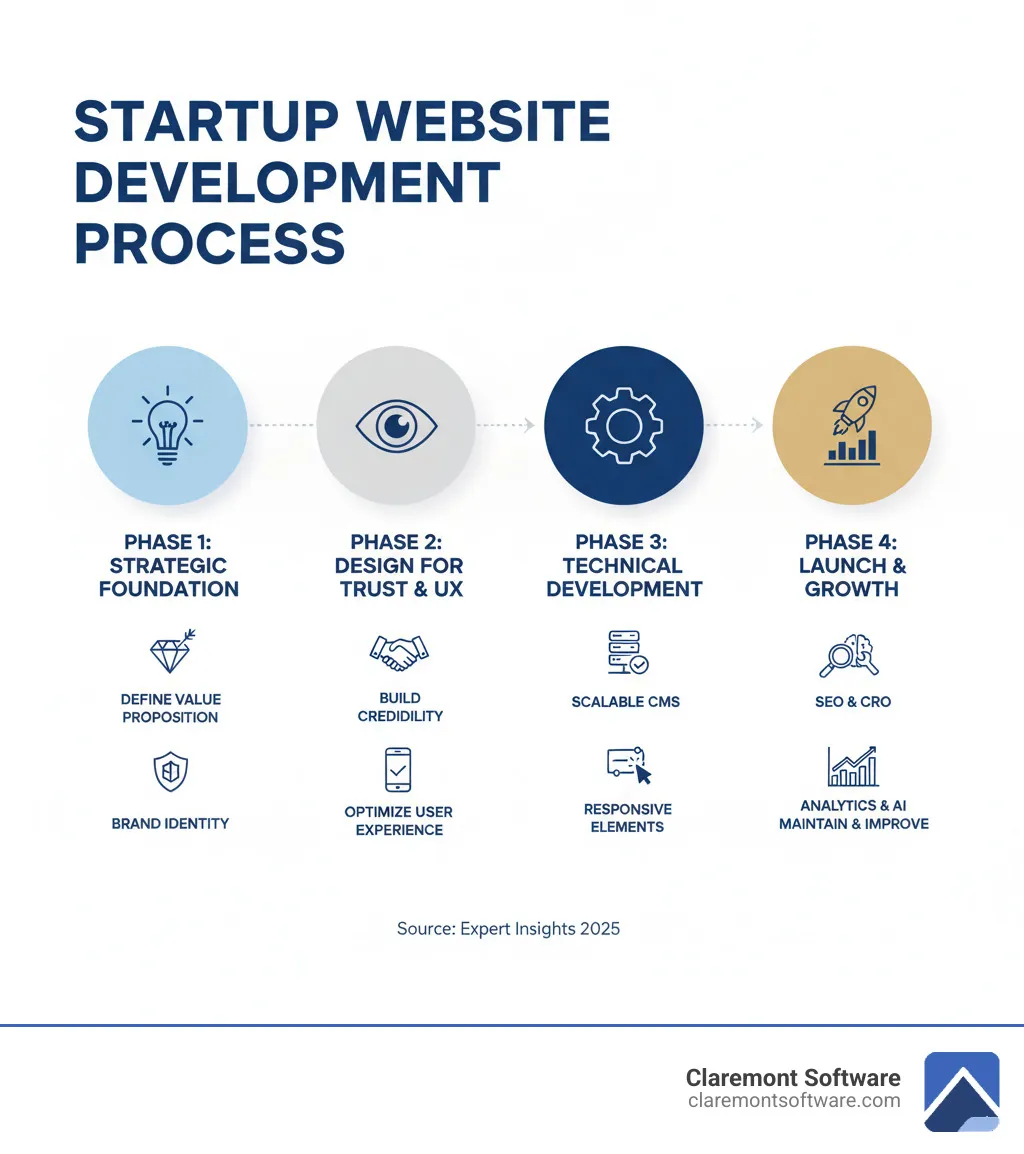
Phase 1: Laying the Strategic Foundation
Before writing any code, successful startup website development begins with solid strategy. This phase defines who you are, what you offer, and how you'll communicate value instantly to visitors.
Defining Your Core Elements and Value Proposition
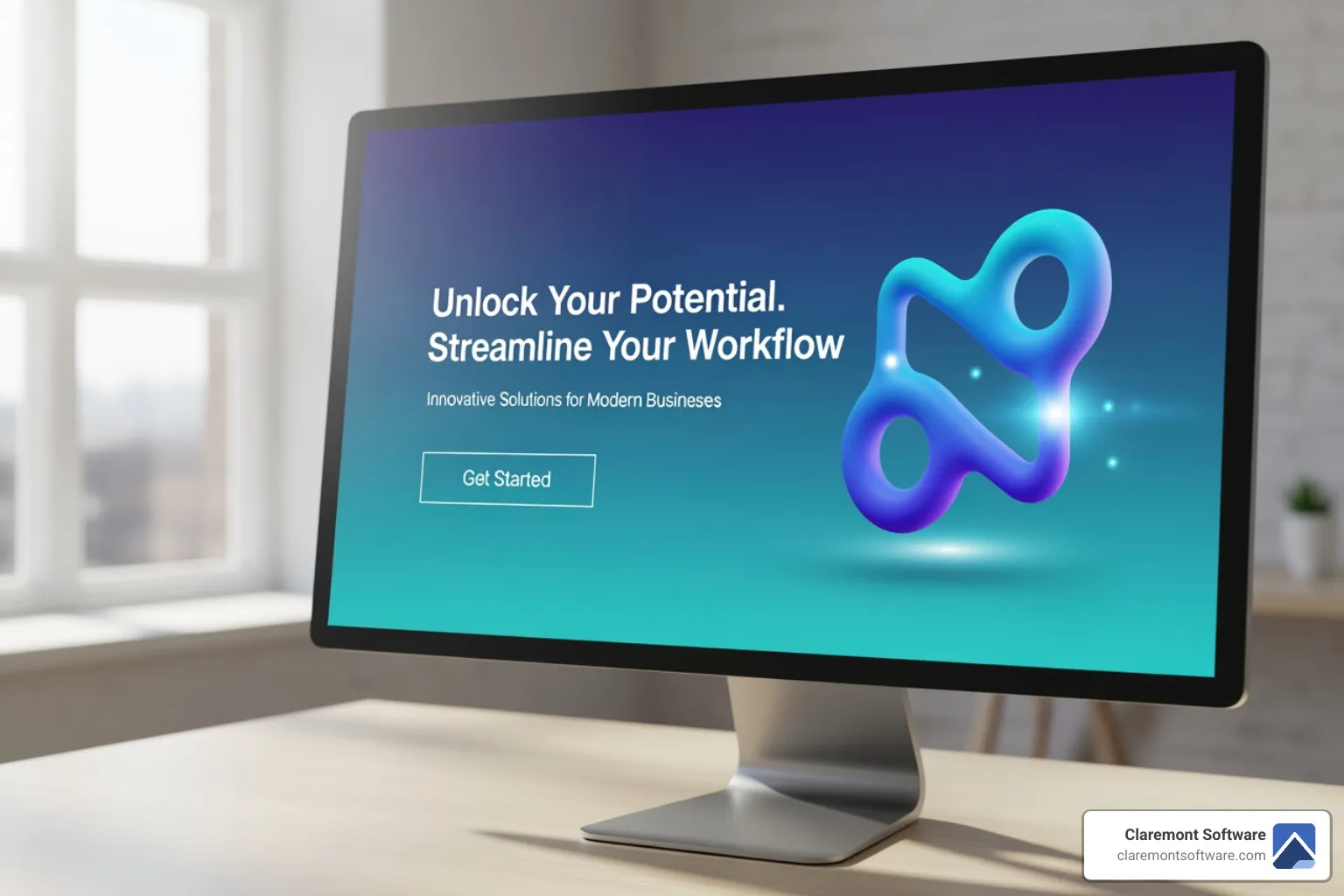
Your homepage has seconds to grab attention. Your value proposition must be front and center, answering "What's in it for me?" This means understanding your target audience and their pain points to craft a hero message that resonates. Your unique selling proposition (USP) should be clear in your headline and supported by attention-grabbing visuals. Every element must build a cohesive brand identity.
See this in action: See how Claremont Software communicates its value. For layout guidance, explore Business Website Layout.
The Power of Simplicity and Clear Navigation
In startup website development, less is more. Clean, uncluttered layouts with intuitive navigation help visitors focus on your product without feeling overwhelmed. Minimalist design reduces friction and boosts conversions.
Negative space creates visual hierarchy, making important messages stand out. Use intuitive menus and logical content grouping for effortless navigation. Structure content with grids for organization and consistency. For inspiration: Using grids for organization.
Phase 2: Designing for Trust and User Experience
A beautiful website is useless if it's confusing or untrustworthy. This phase creates seamless, credible UX that turns skeptical visitors into loyal customers.

Why UX is a Startup's Secret Weapon
Great UX anticipates user needs. When sites feel effortless, visitors stay, trust your brand, and convert. Map the user journey to guide visitors smoothly toward their goals. Create simple forms with fewer clicks and clear labels, ensuring fast load times. This transforms browsers into customers.
If your website isn't generating leads, UX issues are likely to blame: Why Your Website Isn't Bringing You Leads (And How to Fix It).
Building Credibility with Social Proof
Visitors are naturally skeptical. Social proof builds trust through:
- Customer quotes and case studies showing how you solve real problems
- Awards and recognition validating your expertise
- Client logos and media mentions demonstrating established trust
These elements reassure visitors they're making a smart choice. See our approach: Leveraging client reviews.
The Ultimate Guide to Startup Website Development
This is where strategy and design come to life through technology. Key considerations include choosing the right platform, ensuring scalability, and building for mobile-first web.
Essential Development Workflow Steps
A structured workflow keeps projects on track:
- Research & Strategy: Define objectives, target market, and scope
- UX/UI Design: Create wireframes and prototypes aligned with your brand
- Content Creation: Develop compelling, SEO-optimized copy and visuals
- Development: Build functionality using agile processes
- Testing & QA: Ensure flawless performance across all devices
- Launch & Maintenance: Deploy and provide ongoing support
Choosing Your Tech Stack
| CMS Option | Considerations |
|---|---|
| WordPress | Lower cost, user-friendly, highly scalable with plugins |
| Custom Solutions | Higher investment, unlimited scalability, perfect fit |
| Hybrid Approach | Balanced cost, combines platforms with custom features |
Learn about costs: How much should a small business website cost in 2025?. Explore custom options: Custom Web Design Company.
Mobile-First Best Practices
- Responsive layouts adapting to any screen
- Touch-friendly navigation with accessible tap targets
- Fast loading times through optimization
- Dynamic content and subtle animations for engagement
Read more: Mobile-First Design: Why Local Businesses Can't Ignore It.

Why Your Startup's Website is Your Most Critical Business Asset
Startup website development is the process of creating a professional, user-focused website that communicates your value proposition, builds trust with visitors, and converts them into customers—all while working within the typical constraints of limited budget and time.
Quick Answer: Core Elements of Startup Website Development
- Clear Value Proposition - Communicate what you do and why it matters in seconds
- Mobile-First Design - Ensure flawless performance across all devices
- Trust Signals - Add testimonials, social proof, and credible design elements
- Simple Navigation - Make it easy for visitors to find what they need
- SEO Foundation - Build visibility into search engines from day one
- Scalable Platform - Choose technology that grows with your business
- Conversion Focus - Design every element to turn visitors into leads
Every startup begins with a spark of inspiration. Your idea may strike like lightning or gradually take shape, but one thing is certain: a compelling website is a must-have for a startup.
When someone lands on your homepage, you've got just a few seconds to grab their attention. First impressions matter, and a polished website makes your startup get noticed by the crowd. Without one, you're losing customers to competitors who understand that your website isn't just a digital business card—it's your #1 growth engine.
The stakes are high. A website that doesn't captivate visitors instantly will cause them to move on just as quickly. But get it right, and you'll build credibility, foster user engagement through thoughtful interactions, and drive conversions through targeted design.
The challenge? Budget limitations are common for startups, and understandably so. You need to balance the cost of quality web design with the reality of limited resources. You also need a website that's flexible enough to grow quickly as your business scales.
This playbook walks you through the entire journey—from defining your core message to launching and continuously optimizing your site for peak performance.
I'm James Smith, and I've been architecting websites for over 25 years, working with everyone from multi-million-dollar eCommerce platforms to local startups. Throughout my career, startup website development has been one of the most rewarding challenges—helping entrepreneurs transform their vision into a high-performing digital presence that drives real business results. Let's explore how you can craft a website that doesn't just look exceptional, but performs exceptionally.
Phase 1: Laying the Strategic Foundation
Before a single line of code is written, a successful startup website development project begins with a rock-solid strategy. This phase is about defining who you are, what you offer, and how you'll communicate that value instantly to your visitors.
Defining Your Core Elements and Value Proposition
Your homepage has about three seconds to grab a visitor's attention. That's it. Three seconds to answer the most important question on every visitor's mind: "What's in it for me?"
This is where your value proposition becomes absolutely critical. It needs to be front and center, crystal clear, and immediately compelling. Think of it as your elevator pitch, but even shorter—because online, people have even less patience than they do in an elevator.
Start by getting clear on the fundamentals. What problem does your startup solve? Who are you solving it for? What makes your solution different from what's already out there? These questions form the foundation of your unique selling proposition (USP). Once you've nailed down these answers, you can craft a hero message that cuts through the noise.
Your hero section should feature an attention-grabbing headline that speaks directly to your target audience's needs or pain points. Keep it short, punchy, and benefit-focused. Pair this with supporting visuals that reinforce your message—whether that's a product screenshot, a compelling photo, or a simple illustration. Every visual element should work together with your copy to tell a cohesive story.
Don't forget about brand identity. Your logo, color scheme, typography, and imagery all contribute to how visitors perceive your startup. Consistency across these elements builds recognition and trust. Everything on your homepage should reinforce who you are and what you stand for.
Want to see this principle in action? Take a look at how we've structured our own site to communicate value immediately: See how Claremont Software communicates its value.
The Power of Simplicity and Clear Navigation
Here's a truth that surprises many startup founders: when it comes to web design, less really is more. A clean, uncluttered layout doesn't just look better—it performs better. When visitors aren't overwhelmed by competing elements, they can focus on what actually matters: your product or service.
Minimalist design isn't about being boring or sparse. It's about being intentional. Every element on your page should earn its place by serving a clear purpose. This approach helps visitors steer your site without feeling lost or frustrated.
One of the most powerful tools in creating this clarity is negative space—the empty areas around your content. These breathing rooms make your website feel clean and organized, while naturally drawing attention to your most important messages. It's like the pause in a conversation that makes the next words more impactful.
Visual hierarchy is equally important. This means organizing your content so visitors naturally know where to look first, second, and third. Larger headlines, strategic use of color, and thoughtful placement guide the eye through your content in a logical flow. We often use grid systems to create this structure, ensuring everything lines up and feels balanced.
When it comes to navigation, keep it simple and intuitive. Your main menu should be easy to find and understand. Group related pages together, use clear labels (not clever ones), and resist the urge to cram everything into your top navigation. If you have lots of content, consider using filters, search functionality, or a well-organized footer menu to help visitors find what they need.
The goal is to make exploring your site feel effortless. When visitors can find what they're looking for without thinking too hard about it, they're more likely to stick around, explore further, and ultimately take action.
For more insights into creating layouts that work, check out our guide on Business Website Layout. You can also find inspiration on effective grid-based organization here: Using grids for organization.
Phase 2: Designing for Trust and a Killer User Experience (UX)
A beautiful website is useless if it's confusing or untrustworthy. This phase focuses on creating a seamless and credible user experience (UX) that turns skeptical visitors into loyal customers. A well-crafted startup site doesn't just look good; it builds credibility and fosters user engagement through thoughtful interactions and targeted design.
Why User Experience (UX) is a Startup's Secret Weapon
Great startup website development isn't just about looking pretty—it's about creating experiences that feel effortless. Think about the last time you visited a website and everything just worked. You found what you needed quickly, the buttons were exactly where you expected them, and the whole experience felt smooth. That's great UX in action.
Here's the thing: user experience directly impacts your bottom line. When your site is easy to use, people stay longer, explore more, and most importantly, they convert into customers. Research shows that well-designed websites significantly improve customer satisfaction and loyalty. On the flip side, if your layout is confusing or unattractive, visitors bounce faster than you can say "lost sale."
We approach this by mapping out your user's journey from the moment they land on your homepage. What are they looking for? What questions do they have? What might frustrate them? By anticipating these needs, we can design an experience that feels intuitive and enjoyable.
Simple forms are your friend. Nobody wants to fill out a novel just to get a quote or download a resource. We design forms that ask only for what's truly necessary, reducing friction at every turn. Every click, every scroll, every interaction should feel natural—like the website is reading your mind.
This thoughtful approach to UX is often the secret weapon that separates startups that thrive from those that struggle. When visitors can easily find what they need and take action without frustration, they're far more likely to become paying customers—and to come back again.
If your website isn't bringing in the leads you expect, there's a good chance UX is the culprit. We've written an entire guide on this: Why Your Website Isn't Bringing You Leads (And How to Fix It).
Building Credibility with Testimonials and Social Proof
Let's be honest: people are skeptical online, and they should be. When a visitor lands on your startup's website for the first time, they're asking themselves, "Can I trust these people?" This is where social proof becomes your most powerful ally.
Social proof is the digital equivalent of word-of-mouth recommendations. When potential customers see that real people have had positive experiences with your product or service, their guard comes down. Suddenly, you're not just making claims—you're backed by evidence.
We help startups build this trust through strategic placement of various credibility signals. Customer quotes from satisfied clients add a human touch and show real results. Case studies go deeper, telling the complete story of how you solved a specific problem for a specific customer. These detailed narratives are especially powerful for B2B startups or services with longer sales cycles.
Don't underestimate the power of awards and recognition, either. If you've earned industry accolades or certifications, display them proudly. The same goes for client logos—featuring recognizable companies you've worked with instantly boosts your credibility. And if you've been mentioned in the media or featured in relevant publications, showcase those mentions prominently.
Positive reviews on Google or industry-specific platforms carry tremendous weight. When visitors see a pattern of five-star reviews and glowing testimonials, it creates a powerful trust signal that reassures them they're making a smart choice. This collective validation can be the difference between a visitor who bounces and one who converts.
Ready to see how client reviews can transform your credibility? Check out how we leverage testimonials on our own site: Leveraging client reviews.
The Ultimate Guide to Startup Website Development
This is the technical heart of the process, where your strategy and designs are brought to life. Key considerations include choosing the right technology, ensuring scalability, and building for the modern, mobile-first web. A scalable design approach ensures your website grows with your business without costly rebuilds.
Essential Steps in the Startup Website Development Workflow
A structured workflow keeps your project on time and on budget. Our streamlined process:
- Research & Strategy: Define goals (leads, sales), audience, scope, and MVP to validate quickly.
- UX/UI Design: Wireframe key pages, prototype critical flows, and align visuals with your brand.
- Content Creation: Write clear, SEO-ready copy; source visuals; structure information for fast scanning.
- Development: Build clean, modular code and integrate required tools using agile sprints.
- Testing & QA: Verify functionality, performance, accessibility, and security across devices/browsers.
- Launch & Maintenance: Deploy, monitor analytics, and iterate with updates and security patches.
Choosing Your Tech: CMS, Scalability, and Budget
Your technology stack should support today’s needs and tomorrow’s growth. Pick a CMS and architecture that balance cost, ease of use, and performance.
- WordPress: Cost-effective, familiar editor, and highly extensible with the right hosting and plugins.
- Custom Solutions: Built to spec for performance and control; higher upfront investment; ideal for unique requirements.
- Hybrid Approaches: Start on a proven platform and add custom components where needed for a balanced path to scale.
Design for scalability from day one: use modular components, optimize assets, and choose hosting that can handle traffic spikes. Prioritize mobile performance, caching, and a sane plugin/integration strategy to avoid technical debt.
Best Practices for Mobile-First and Interactive Design
- Responsive layouts that adapt cleanly to any screen size.
- Touch-friendly UI with accessible tap targets and clear labels.
- Fast load times via image optimization, code splitting, and caching.
- Purposeful motion and micro-interactions to guide attention without distraction.
Keep the experience simple, speedy, and conversion-focused. That’s what separates a site that merely exists from one that drives results for your startup.
Phase 1: Laying the Strategic Foundation
Before a single line of code is written, a successful startup website development project begins with a rock-solid strategy. This phase is about defining who you are, what you offer, and how you'll communicate that value instantly to your visitors.
Defining Your Core Elements and Value Proposition
Your homepage has seconds to grab a visitor's attention. Your value proposition must be front and center, answering the question "What's in it for me?" immediately.
Think about your startup's core mission, values, and unique solutions. What problems do you solve? How do you differ from existing solutions? This is the foundation of your unique selling proposition (USP). Once you have this clarity, you can build a hero message that's short, snappy, and to the point—supported by relevant visuals that tell your story at a glance.
We often tell our clients: "Your website needs to communicate your value proposition instantly and effectively." That means crafting attention-grabbing headlines that resonate with your target audience right away. Every element, from your logo to your imagery, should reinforce your brand identity and communicate your message clearly.
At this stage, outlining essential functionality and defining your project scope with a Minimum Viable Product (MVP) is crucial. An MVP approach gets you to market faster and lets you learn from real user feedback. Setting specific, measurable objectives—like lead generation, sales, or brand awareness—guides every design and development decision we make.
Want to see how we communicate our value? Take a look at our own site: See how Claremont Software communicates its value
The Power of Simplicity and Clear Navigation
In startup web design, less is often more. A clean, uncluttered layout with intuitive navigation helps visitors focus on what matters most—your product or service—without getting lost or overwhelmed. As experts in startup website development, we know that a well-thought-out, user-friendly design makes all the difference.
A minimalist design isn't just about aesthetics; it's about guiding your users effortlessly through their journey. Use negative space—the empty areas around your content—to make your website look clean and focused. This helps highlight important messages and key elements. We structure layouts with clear visual hierarchies, using grids to organize content effectively.
This means keeping menus straightforward, grouping related items, and using filters or tags to help visitors find exactly what they're looking for. The easier it is to steer, the more pleasant the experience for your visitors, encouraging them to stay and explore. You can even experiment with different grid structures to create a visually appealing and organized layout.
Think about the tone you want to set. Soothing colors and gentle gradients create a peaceful vibe, while vibrant hues energize and excite. These choices influence user perception and how they feel about your brand.
For more insights into effective layout strategies, check out our thoughts on Business Website Layout. You can also find inspiration on how to use grids for organization here: Using grids for organization.
Phase 2: Designing for Trust and a Killer User Experience (UX)
A beautiful website is useless if it's confusing or untrustworthy. This phase focuses on creating a seamless and credible user experience (UX) that turns skeptical visitors into loyal customers. A well-crafted startup site doesn't just look good; it builds credibility and fosters user engagement through thoughtful interactions and targeted design.
Why User Experience (UX) is a Startup's Secret Weapon
Here's the thing about user experience: it's not just about making things pretty. Great UX design actually anticipates what your visitors need before they even realize they need it. When someone lands on your site and everything just works—they find what they're looking for, the buttons are where they expect them to be, the forms are simple—that's when the magic happens.
And the results? They're not subtle. Well-designed websites significantly improve customer satisfaction and loyalty. Think about it from your own experience: if a website's layout is confusing or unattractive, you're probably clicking the back button pretty quickly. But when a site feels effortless to use? You stick around. You explore. You might even become a customer.
This is where user journey mapping becomes your secret weapon in startup website development. We walk through every step a visitor might take on your site, looking for anything that might trip them up. Are the forms asking for too much information? Is the checkout process needlessly complicated? Can someone find your contact page without hunting for it?
The goal is simple: reduce friction at every turn. We design forms that ask only for what's truly necessary. We make sure your most important information is easy to find. We test the flow from landing page to conversion to make sure it feels natural and intuitive.
User experience directly impacts everything that matters to your startup: how people perceive your brand, whether they engage with your content, if they convert into customers, and whether they come back for more. Through user testing—where we gather feedback from real people using your site—we continuously identify pain points and make improvements. This iterative process turns a good website into a great one.
If your website isn't bringing in the leads you expect, there's a good chance UX is the culprit. Learn more here: Why Your Website Isn't Bringing You Leads (And How to Fix It).
Building Credibility with Testimonials and Social Proof
Let's talk about trust. When someone visits your startup's website for the first time, they're naturally skeptical. Who are you? Can you deliver what you promise? Why should they choose you over anyone else?
This is where social proof becomes your most powerful trust-building tool. When potential customers see that real people have had great experiences with your product or service, their skepticism starts to melt away. It's human nature—we look to others to validate our decisions.
We help startups strategically showcase customer quotes and testimonials right where they'll have the most impact. But it goes beyond just slapping a few reviews on your homepage. Case studies tell the complete story of how you solved a specific problem for a real client, giving prospects a clear picture of what working with you looks like.
Displaying awards and recognition you've earned, featuring client logos from reputable companies you've worked with, and showcasing any media mentions or press coverage all work together to build that crucial layer of credibility. Each piece of social proof adds another brick to the foundation of trust.
Here's something worth noting: positive reviews on Google or other platforms are incredibly powerful. When we integrate these testimonials into your website design, we're not just filling space—we're actively working to boost confidence in your brand. This collective validation acts as a trust signal that reassures new visitors they're making a smart choice by considering your startup.
Ready to see how powerful client reviews can be? Check out how we leverage testimonials: Leveraging client reviews.
The Ultimate Guide to Startup Website Development
This is the technical heart of the process, where your strategy and designs are brought to life. Key considerations include choosing the right technology, ensuring scalability, and building for the modern, mobile-first web. A scalable design approach ensures your website grows with your business, handling increased traffic and evolving needs without requiring a complete overhaul.
Essential Steps in the Startup Website Development Workflow
A structured workflow ensures your project stays on track and on budget. Following a time-tested process from research to launch is critical for success in startup website development. Think of it like building a house—you need a solid foundation before you can add the roof.
The journey starts with research and strategy, where we crystallize your idea and define your project scope. What are you trying to achieve? Lead generation? Direct sales? Brand awareness? We dig deep into understanding your target market—their behaviors, needs, and pain points. This phase also includes outlining essential functionality and planning for a Minimum Viable Product (MVP) to get you to market faster. An MVP lets you launch quickly and learn from real user feedback, rather than spending months perfecting features nobody might use.
Next comes UX/UI design, where we transform strategy into visual reality. We create wireframes and prototypes to map out the user journey, ensuring every click feels intuitive. This is where we define the visual elements—colors, fonts, layouts—that align with your brand identity and make your site feel uniquely yours.
Then there's content creation, because design without content is just decoration. We develop compelling copy that speaks directly to your audience, source high-quality images and videos, and organize information so visitors can find what they need instantly. We optimize your content for search engines from the start, so you're not just building a beautiful site—you're building one people can actually find.
The development phase is where the magic happens. Our team writes the code, builds the website's functionality, and integrates any necessary third-party tools. We use agile development processes, which means we can adapt quickly if needs change. Rigorous quality assurance with automated testing tools keeps everything running smoothly and efficiently.
Testing and QA might sound boring, but it's absolutely crucial. We conduct functional, performance, security, and usability testing across various devices and browsers. This iterative feedback and refinement process ensures your website is robust, secure, and provides a seamless user experience before launch. Nothing's more embarrassing than launching a site that crashes on mobile devices.
Finally, we reach launch and maintenance. We plan and execute your website launch, including marketing and promotional activities to get eyes on your new site. But the work doesn't stop there. We monitor post-launch performance, gather user feedback, and provide ongoing support and maintenance to ensure your site remains secure, functional, and up-to-date.
For an understanding of potential costs involved in this process, you might find our article on How much should a small business website cost in 2025? helpful.
Choosing Your Tech: CMS, Scalability, and Budget
The technology you choose will impact your site's performance, flexibility, and long-term costs. It's crucial to select a Content Management System (CMS) and architecture that can grow with your business. For startups, balancing budget constraints with the need for a high-quality, scalable website is a constant challenge—but it's one worth getting right.
Here's the thing: your Content Management System (CMS) can make or break your website's performance. When it comes to web design for startups, a key factor to remember is to ensure the website and CMS are flexible enough to grow quickly. Good startup web designers have the experience and foresight to look a little way down the road and design a website that can be easily expanded when the time for growth comes along.
Designing for scalability from the outset means your infrastructure can handle increased traffic and data as your user base grows. Imagine launching a successful marketing campaign only to have your website crash because it can't handle the traffic. That's a nightmare scenario we help you avoid.
We help you steer these choices based on your specific needs and budget. Here's a look at common CMS options and what to consider for your startup website development:
| CMS Option | Cost, Scalability, and Ease of Use |
|---|---|
| WordPress | Low to moderate initial cost with flexible hosting options. Highly scalable with thousands of plugins and themes. Easy to use for non-technical users, making it ideal for startups that need to update content frequently without developer help. Can grow from a simple blog to a complex eCommerce platform. |
| Custom Solutions | Higher upfront investment but built specifically for your unique needs. Maximum scalability since it's designed with your growth trajectory in mind. Requires technical expertise to manage but offers complete control over functionality and performance. Best for startups with specific requirements that off-the-shelf solutions can't meet. |
| Hybrid Approaches | Moderate cost, combining the ease of popular platforms with custom functionality where needed. Good scalability for most startup scenarios. Balances user-friendliness with customization, allowing you to start simple and add complex features as you grow. |
The right choice depends on your current resources, technical expertise, and long-term vision. We work with you to find the sweet spot between balancing quality and cost, ensuring you get a website that serves you well today and can evolve with your business tomorrow.
Want to learn more about custom solutions? Check out our page on Custom Web Design Company to see how custom development can give your startup a competitive edge.
Best Practices for Mobile-First and Interactive Design
With most users browsing on their phones, a mobile-first approach is non-negotiable. Improve the experience further with subtle animations and interactive elements that guide users and make your site feel dynamic.
Think about your own browsing habits. When was the last time you visited a website on your phone that was clearly designed for desktop? Frustrating, right? You're pinching to zoom, accidentally clicking the wrong links, and probably leaving within seconds. That's exactly what you don't want happening on your startup's website.
Responsive layouts adapt seamlessly to any screen size, from the smallest smartphone to the largest desktop monitor. But mobile-first design goes beyond just making things fit. It means prioritizing the mobile experience in your design process, ensuring touch-friendly navigation with buttons and links that are easy to tap, not microscopic targets that require surgeon-level precision.
Fast loading times are critical, especially on mobile networks. Every second of delay can cost you visitors and conversions. We optimize images, minimize code, and use modern techniques to ensure your site loads quickly, even on slower connections.
Adding dynamic content and interactive elements makes your site feel alive and engaging. Subtle animations can guide users' attention to important elements, provide feedback when they interact with buttons, or simply add a touch of personality to your brand. But the key word here is "subtle"—you want to improve the experience, not create a circus that distracts from your message.
Continuous animations, when done right, can create a smooth, polished feel. Want to see how effective animation can be? Check out this resource on continuous animations to understand how motion can improve user experience.
For more insights on why mobile-first design matters for your startup, read our article on Mobile-First Design: Why Local Businesses Can't Ignore It. The principles apply just as much to startups—maybe even more so, since you're competing for attention in a crowded market.
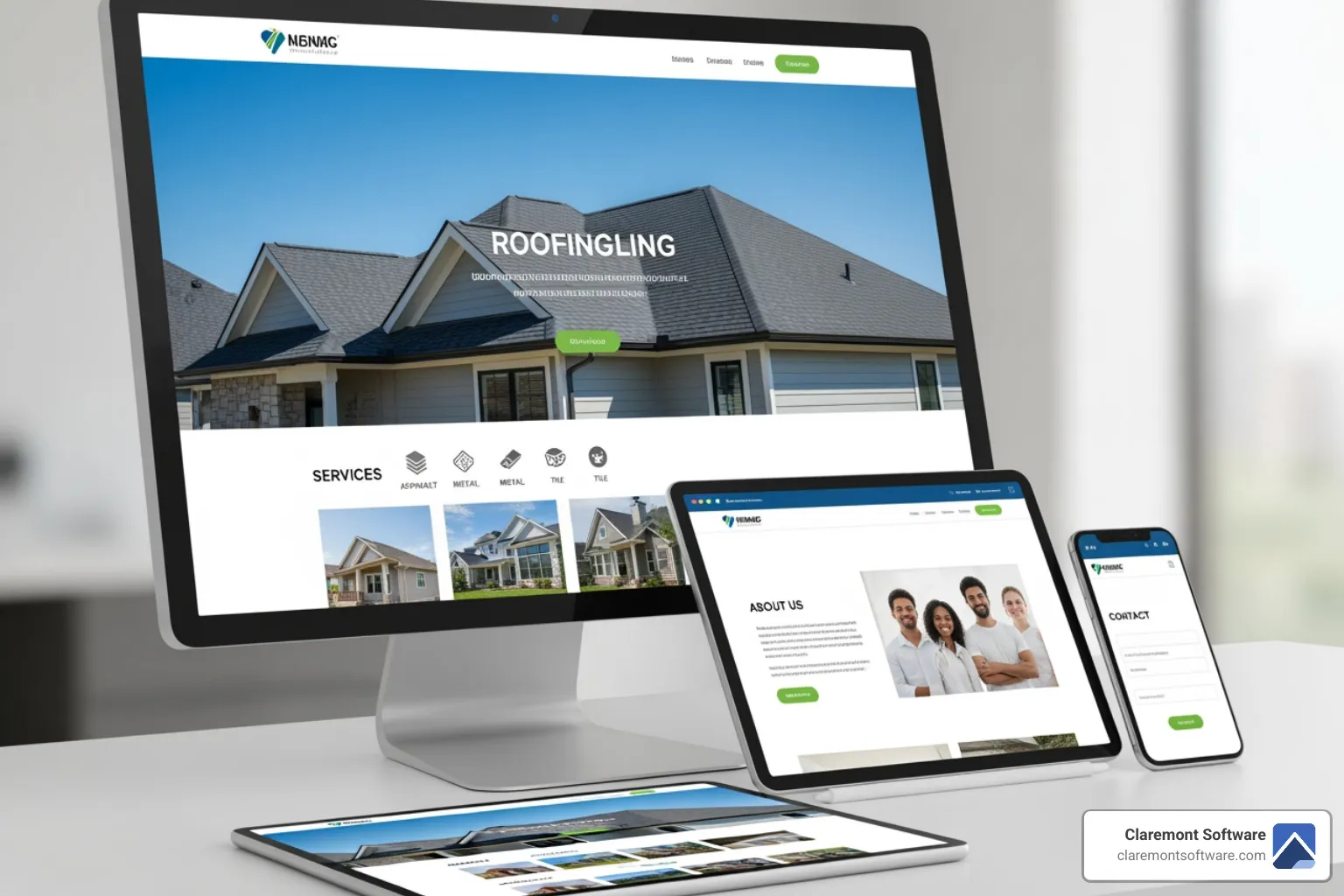
The bottom line? Your website needs to work flawlessly on every device, load quickly, and provide an engaging experience that keeps visitors around long enough to become customers. That's what separates successful startup website development from websites that just exist.